How to Withdraw Money from OnlyFans in Thailand
If you’re an OnlyFans creator living in Thailand (or traveling there), getting paid should feel simple, but international payouts can be confusing. The good ...
If you’re an OnlyFans creator living in Thailand (or traveling there), getting paid should feel simple, but international payouts can be confusing. The good news is that most payout issues come down to a few fixable things: identity details, bank fields, currency conversion, and timing.
Below is a clear, Thailand-friendly walkthrough to withdraw money from OnlyFans, plus a troubleshooting playbook for when a payout gets delayed or fails.
For official, always-current rules, double-check the OnlyFans Help Center because payout options and requirements can change.
Before you withdraw: the 5 things that prevent 90% of payout problems
OnlyFans withdrawals usually go smoothly when your account and payout details match perfectly.
Quick pre-withdraw checklist (save this):
- Your OnlyFans account is fully verified (ID, selfie, required info completed).
- Your payout method is added and verified inside Settings.
- Your legal name on OnlyFans matches your bank account name exactly.
- Your bank details are entered in the exact format your bank expects (account number length, SWIFT/BIC, bank name, branch details if required).
- You have two-factor authentication enabled and you are not triggering security flags (frequent logins from new locations/devices).
If you’re brand new and still setting up your account, this beginner guide helps you avoid early mistakes that can slow approval and payouts: How to Start, Create & Verify Your OnlyFans Account.
How to withdraw money from OnlyFans in Thailand (step by step)
The exact menu labels can change slightly, but the flow is usually the same.
- Log in from a stable device and connection you use regularly (avoid switching devices during payout setup).
- Go to Settings.
- Find Payouts / Banking / Withdrawal (wording varies).
- Add a payout method.
- Enter your details carefully:
- Full legal name
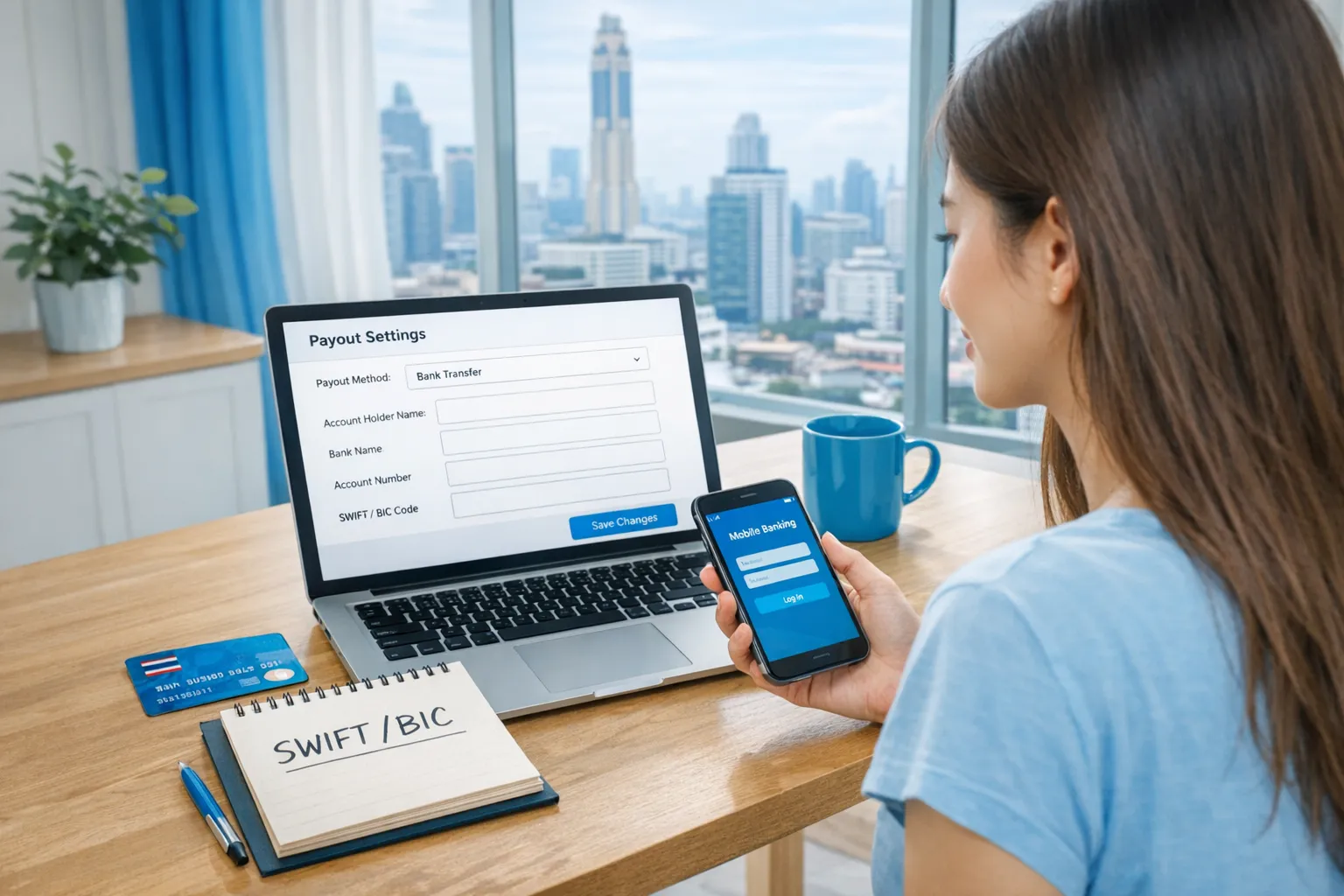
- Bank account information (for Thailand, this often involves international transfer fields like SWIFT/BIC in addition to your account number)
- Address and any requested tax or identity fields
- Save and confirm the payout method.
- Go to Earnings (or your balance area) and look for Withdraw / Request payout.
- Choose the amount (if there is a minimum threshold, it will show there).
- Submit the withdrawal request and screenshot the confirmation (date, amount, payout method).
- Monitor:
- OnlyFans status (pending, processing, sent)
- Your bank side (incoming transfer timelines and potential compliance checks)
Tip for Thailand: If your payout is an international transfer into a Thai bank, your bank may route it through intermediary banks. That can add time and sometimes fees. It’s normal, but you want your details flawless to avoid a bounce.
Which payout method should you use from Thailand? (decision framework)
Because availability can vary by account and country, you may see different payout options inside your settings. Think in terms of speed, fees, and “failure risk.”
Here’s a practical comparison to help you choose what fits your situation.
| Option (what it usually means) | Best for | Pros | Cons and risks | What to double-check |
|---|---|---|---|---|
| Direct to Thai bank account (international transfer into TH) | Most creators who want simplicity | Familiar, goes to your main bank | Can be slower due to intermediaries, possible incoming fees, errors cause bounces | SWIFT/BIC, account number format, bank name spelling, legal name match |
| Transfer to a multi-currency or USD account (if you have one) | Creators who manage FX actively | Sometimes better control of conversion timing | Requires extra banking setup, may complicate bookkeeping | Receiving account eligibility for international transfers, name match |
| Third-party payout provider (if shown in your settings) | Creators who prefer a payout middle layer | Can be convenient depending on your provider | Extra steps, separate KYC, provider-specific fees and limits | Provider availability in Thailand, identity match, withdrawal options to your Thai bank |
Simple rule: If you want the lowest mental load, start with the option that is most “direct” and least dependent on extra accounts. If you care most about FX control, consider a route that gives you more currency flexibility.
Common payout issues in Thailand (and how to fix them fast)
1) Name mismatch (the #1 reason payouts fail)
If the name on your OnlyFans payout profile does not match your bank account holder name exactly, banks and payment processors can reject the transfer.
Fix: Update your payout profile to match your bank documents character-for-character. If you have multiple names, middle names, or different romanization, choose the version your bank uses.
2) Wrong bank fields (SWIFT/BIC, branch, account number format)
International transfers are picky. One wrong digit can cause a bounce or long delays.
Fix: Ask your bank for their exact incoming wire instructions. Don’t guess from Google. Thailand banks often provide a specific SWIFT code and beneficiary format.
3) “Sent” on OnlyFans, but nothing arrived
This often means the transfer is in the banking network, stuck in compliance review, or moving through intermediaries.
Fix:
- Wait through weekends and holidays (bank processing is not 24/7).
- Request a transfer trace or reference details if available.
- Contact your bank and ask if there is an incoming international transfer pending and whether they need additional information.
This deeper guide can help you diagnose whether the delay is platform-side or bank-side: International Payouts: How to Avoid Common Delays.
4) First payout takes longer than expected
Many platforms apply extra checks to first-time withdrawals.
Fix: Plan your cash flow so you are not “depending” on a first payout landing on a specific day. Once your pipeline is stable, timing is usually more predictable.
5) Security flags (travel, VPN hopping, too many logins)
If you’re living in Thailand temporarily, or you travel often, you can accidentally trigger extra verification.
Fix:
- Use a consistent device.
- Turn on 2FA.
- Avoid constantly switching IP locations right before requesting payouts.
A 30-minute troubleshooting flow (when money is late)
If your payout is delayed, do this before you panic-message support.
- Check status inside OnlyFans: pending vs processing vs sent.
- Confirm your payout method details: name, account number, SWIFT/BIC.
- Check timing realities: weekends, holidays, time zones.
- Call or chat your bank: ask about incoming international transfers and what details they need.
- If it still doesn’t move, contact OnlyFans support with:
- payout date
- amount
- last 4 digits (if applicable)
- screenshots
The key is to approach it like ops, not emotions. Most delays are solvable when you gather the right info.
Currency conversion in Thailand: what creators should watch
Even when everything “works,” your net deposit can vary due to conversion.
Here’s what can affect how much arrives:
- Exchange rate timing: the rate applied may depend on when the transfer is converted.
- Intermediary and receiving bank fees: international transfers can include fees from banks in the middle.
- Bank-side FX spread: banks often add a margin to the mid-market rate.
What to do: Keep a simple payout log with date requested, date received, amount received, and notes (fees, FX). This will also make tax time less stressful.
Taxes and paperwork (Thailand): keep it simple, keep it defensible
If you live in Thailand, you may have questions about how to track income and what you owe. The right answer depends on your tax residency, total income, and local rules.
This is educational, not legal or tax advice. Policies and laws can change. Verify with official sources or a professional.
A creator-friendly approach that helps in any country:
- Track gross earnings (what you earned on-platform), not just what you withdrew.
- Track business expenses with receipts.
- Reconcile monthly so you catch issues early.
A practical routine you can copy is here: OnlyFans Taxes: Weekly Habit to Stay Organized.
Privacy considerations when withdrawing in Thailand
If you’re worried about privacy (family, partner, landlord, or anyone seeing banking notifications), treat payouts like a business process.
- Consider using a separate bank account dedicated to creator income (if that fits your situation).
- Keep your login and recovery email private and secured.
- Turn on 2FA and use unique passwords.
- Use OnlyFans country blocking and other privacy settings if anonymity matters (especially if you are promoting online).
For a full privacy-first playbook, read: How to Secretly Promote Your OnlyFans (Without Friends or Family Finding Out).
When you should get support (and what kind)
Payout setup is usually a one-time headache, but if you’re constantly dealing with:
- payout delays affecting your bills
- security worries and content leaks
- not knowing how to scale traffic while managing DMs
…then your real problem may be that you’re doing everything alone.
If you want a clear breakdown of outsourcing options (solo vs hiring a chatter vs full agency), this guide helps: Working With an Agency vs Running OnlyFans Alone.
And if you’re specifically evaluating Lookstars, this is the most transparent overview of pros and cons: Lookstars Agency Review: Honest Pros, Cons & Results.
Frequently Asked Questions
How long does it take to withdraw money from OnlyFans in Thailand? It depends on the payout method, whether it’s your first payout, weekends and holidays, and bank processing time. Check your payout status in OnlyFans first, then confirm with your bank if it shows as “sent.”
Can I withdraw OnlyFans earnings to a Thai bank account? Many creators do, but the exact payout methods available can vary by country and account. Check your OnlyFans payout settings to see what methods are offered to you.
Why did my OnlyFans payout fail? The most common reasons are a legal name mismatch, incorrect bank fields (account number, SWIFT/BIC), or additional verification/security checks. Re-check details and contact your bank to confirm the correct incoming transfer format.
Will I receive Thai baht (THB) or another currency? That depends on your payout method and bank conversion. Some transfers arrive in a foreign currency and get converted by your bank. Track the received amount and ask your bank how they handle FX and fees.
Should I use a VPN when requesting a payout? If you use a VPN, keep it consistent and avoid sudden location changes right before payout requests. Frequent IP switching can trigger extra security checks.
Want a smoother payout process (and less stress overall)?
If you’re tired of juggling payouts, promo, DMs, and safety by yourself, Lookstars can help you run your OnlyFans like a real business. There are no upfront costs and flexible cancel-anytime contracts, so you can get support without feeling trapped.
Lookstars supports creators with multi-platform marketing, 24/7 fan chatting, strategic posting, and privacy tools like leak monitoring and DMCA takedowns.
Apply or learn more here: Lookstars OnlyFans management agency.



Ready to transform your career?
Join hundreds of creators already earning six figures with Lookstars Agency.
Share this article
Best OnlyFans Agency
Europe's Leading OnlyFans Management Agency.

100% Free Ebook
Get our guide and unlock the secrets to OnlyFans success.
100% Free Ebook
Get our guide and unlock the secrets to OnlyFans success.
Free Revenue Calculator & Profile Analyzer
Try them for freeContinue reading...

Am I Attractive Enough for an OnlyFans Agency? The Answer

Can You Ever Fully Delete Your OnlyFans Content? The Reality
