OnlyFans Leaks Explained: How They Happen
Leaks are one of the biggest “silent fears” for OnlyFans creators, especially if you’re building a page while protecting your real name, your job, or your fa...
Leaks are one of the biggest “silent fears” for OnlyFans creators, especially if you’re building a page while protecting your real name, your job, or your family life. The frustrating part is that leaks often have nothing to do with you “messing up.” They happen because digital content is easy to copy, and some people feel entitled to take it.
This guide breaks down what OnlyFans leaks actually are, how they happen in real life, and what you can do today to reduce your risk (without spiraling into paranoia).
What “OnlyFans leaks” actually mean
An “OnlyFans leak” usually refers to your paid content being reposted somewhere you did not approve, for example:
- Screenshots or screen recordings shared on leak forums
- Reuploads of your PPV or feed posts to pirate sites
- Your paid content being traded in group chats
- Your DMs (including intimate messages) being copied and shared
A leak is not always “hacking.” In many cases, it’s a paying subscriber copying content and redistributing it.
Also, a hard truth: no creator can make leaks impossible. What you can do is reduce the chances, reduce the damage, and make takedowns faster and more consistent.
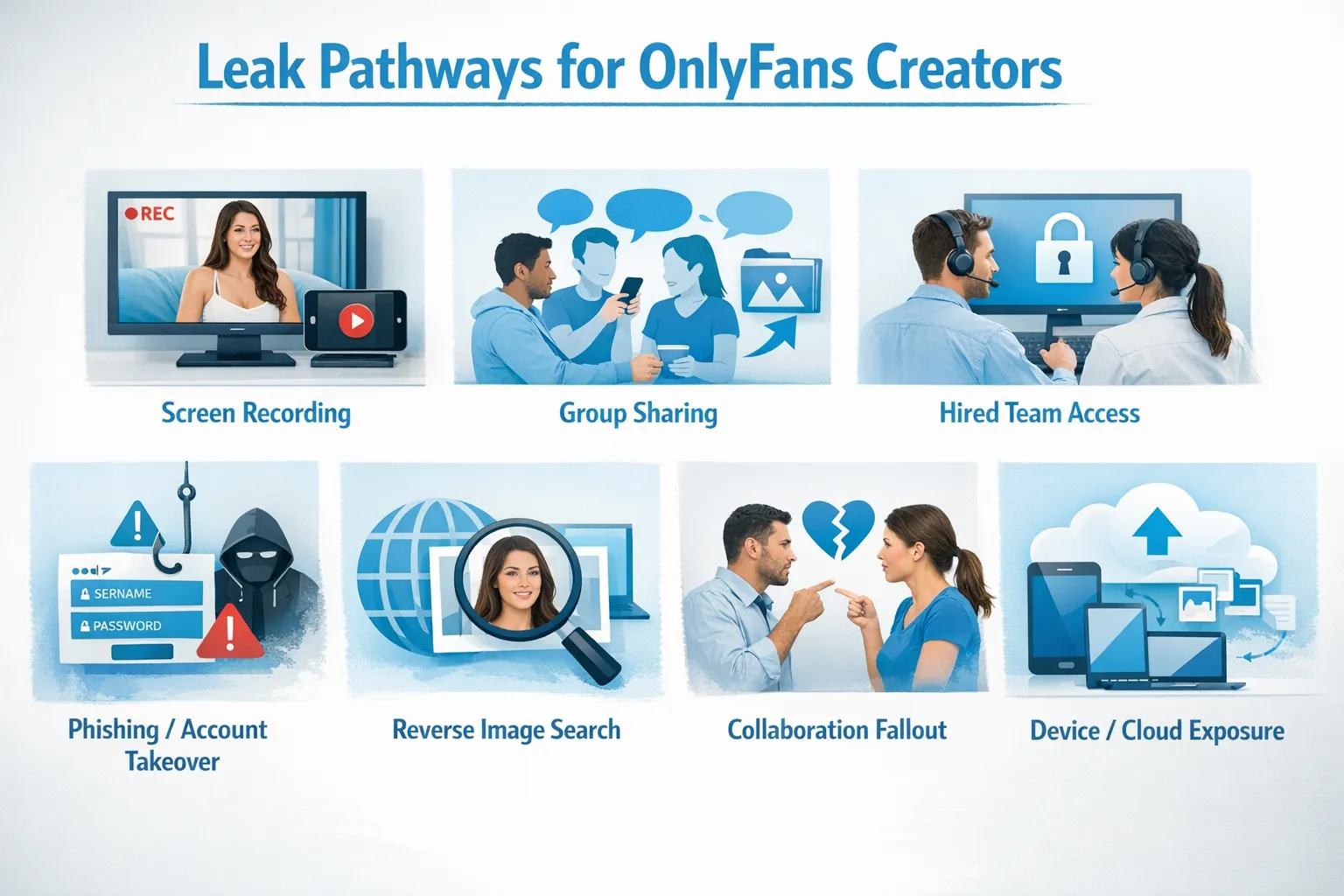
OnlyFans leaks explained: how they happen (most common pathways)
Think of leaks as a chain. If someone can (1) access your content and (2) copy it, they can (3) repost it.
Here are the most common ways that chain happens.
1) Screen recording and screenshots (the simplest leak)
If a subscriber can view your content, they can usually:
- Screenshot images
- Screen record videos
- Use another phone to record their screen
Even if a platform tries to deter recording, there are almost always workarounds. This is why the most reliable strategy is deterrence and traceability (watermarks, unique patterns) plus fast takedown systems, not “perfect prevention.”
2) “Friend sharing” and group chat trading
Some fans do not repost publicly. They trade privately:
- Group chats
- Discord servers
- Telegram channels
- Private folders
This is common because it feels “low risk” to them. The content can later escape into public leak sites.
3) Someone you hired (or gave access to) copies your vault
If you give account access to:
- A manager
- A chatter team
- A virtual assistant
- A video editor
- A partner helping you post
…that access can become a leak risk.
This is not a reason to never outsource. It is a reason to use a strict access process (least privilege, logging, clear rules, fast offboarding).
If you’re evaluating help, also read: OnlyFans Scam: How agencies, managers and chatters rob the creators
4) Phishing and account takeover (it looks like “a leak,” but it’s theft)
Creators get targeted with:
- Fake “OnlyFans support” emails
- Fake brand deal messages
- “You violated policy, log in here” links
- Malware disguised as “promo lists” or “editing packs”
Once someone gets your login, they can:
- Download content n- Change payout info
- Message fans as you
If your leak starts suddenly and aggressively, consider account compromise as a possibility (and lock things down immediately).
5) Reverse image search connects your promo to your paid content
Sometimes “leaks” feel worse because they connect your stage persona to your real life.
This usually happens when:
- You reuse the same photos across IG/TikTok/Twitter and OnlyFans
- Your face, tattoos, room details, or backgrounds are consistent
- A promo image gets reposted with your link, then someone goes hunting
For privacy-first promotion tactics, see: How to Secretly Promote Your OnlyFans (Without Friends or Family Finding Out)
6) Collaboration fallout (exes, former collaborators, or “friend with a camera”)
If you collab with another creator or involve someone off-platform (even if they never appear on camera), leaks can happen through:
- Shared raw footage
- Shared cloud drives
- Resentment after a breakup
- Different standards around privacy
The biggest prevention lever here is not technical, it’s process: clear boundaries, written agreements where appropriate, and controlling where the raw files live.
7) Your own device or cloud storage gets exposed
This is the leak pathway most creators underestimate.
Common causes:
- Auto-backups syncing to a shared family cloud account
- Old phone sold without a proper wipe
- Shared laptop with saved logins
- A friend “borrowing your iPad” that still has your gallery
If you’re a no-face creator, this matters even more because the content itself can still identify you by environment and metadata habits.
Related: How to Make Money on OnlyFans without Showing Your Face & Stay Anonymous
Quick “Leak Risk Map” (where to focus first)
Not all leak sources are equal. Some are rare but catastrophic (account takeover). Others are common but manageable (screenshots).
| Leak source | How it usually happens | How it feels when it happens | Best first defense |
|---|---|---|---|
| Screenshots/screen recording | A subscriber copies what they can see | “I can’t stop this” | Watermarking + monitoring + takedowns |
| Private trading groups | Fans share in chats, later reposted | “It’s spreading” | Watermarks + identify patterns + takedowns |
| Team access | Someone with login access saves content | “Betrayal” | Tight access rules + offboarding + reputable partners |
| Phishing/account takeover | Fake login links, stolen credentials | “Everything changed overnight” | 2FA + password hygiene + device security |
| Reverse image search | Same pics used across platforms | “I feel exposed” | Separate promo sets + remove metadata + consistent anonymity |
| Collab/raw files | Shared drives, relationship fallout | “I trusted them” | Clear agreements + control raw files |
| Device/cloud exposure | Auto-backups, shared devices | “How did this even happen?” | Separate accounts + cloud settings + secure storage |
A practical leak prevention plan (risk-first, not perfection)
Here’s a creator-friendly way to think about protection:
- Deterrence: make it harder and less rewarding to leak you
- Traceability: make it easier to prove content is yours and track reposts
- Response speed: reduce how long leaked content stays up
- Identity protection: reduce the chance a leak connects to your real life
Your “before you post” checklist (10 minutes that saves you headaches)
- Use a separate promo folder (do not reuse paid sets as promo).
- Add a watermark (even a subtle one). If you can, vary it by set.
- Check the background for identifiers (mail, street signs, reflections, unique decor).
- Remove photo metadata (EXIF) before uploading to public promo platforms.
- Avoid showing the same distinctive features repeatedly if anonymity matters (tattoos, jewelry, very recognizable rooms).
- Keep your link sharing consistent (use tracking links where possible so you can see where your subscribers come from).
If you want to get more disciplined about tracking traffic sources, this is helpful: OnlyFans Tracking Links Guide
Your account security checklist (if you do nothing else, do this)
- Use a unique password (not reused anywhere else).
- Turn on two-factor authentication (2FA) wherever available.
- Do not log in on a “friend’s laptop” or shared device.
- Treat “OnlyFans support” DMs/emails like phishing until proven otherwise.
- Separate your creator email from your personal life email.
If you outsource, use a “least access” rule
Outsourcing can be a huge unlock, but it changes your risk profile.
If you’re hiring any kind of help (chatter, VA, agency), ask yourself: Who has access to what, and how fast can I revoke it?
Use this quick checklist during onboarding:
- Exactly who will have login access (names, not just “our team”).
- What systems are used to store content (and who can download raw files).
- What happens the day you leave (offboarding process, access removal, content deletion).
- How leak monitoring and takedowns are handled (and how you’ll be updated).
If you’re still deciding between doing it solo vs getting help, this overview is useful: Working With an Agency vs Running OnlyFans Alone
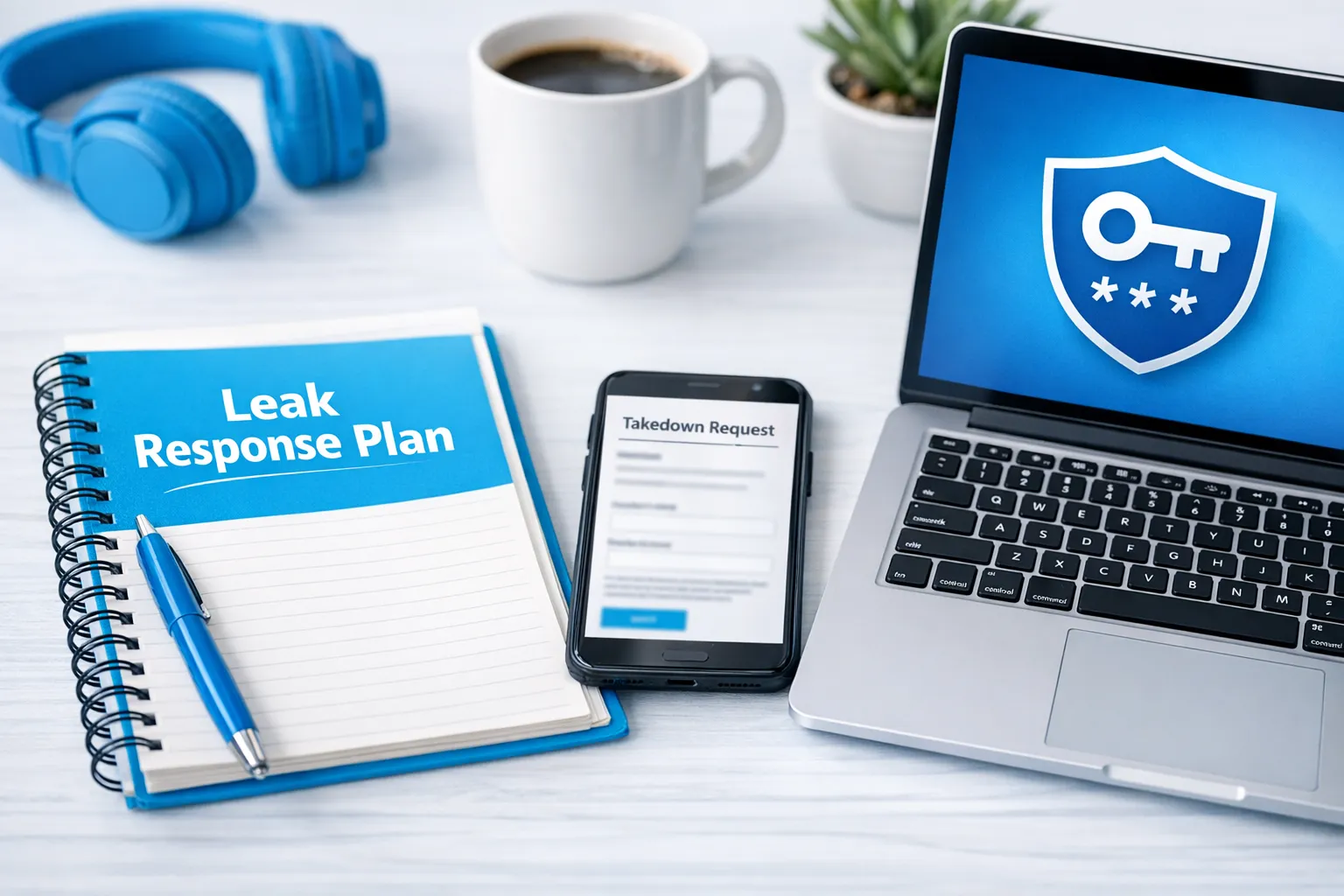
What to do if your content gets leaked (calm, repeatable response)
You do not need to “win the internet” in one night. You need a clean process.
Step 1: Document everything
Take screenshots of:
- The URL(s)
- The page showing your content
- Any username attached to the repost
- Dates and times
This helps with takedown requests and establishes a paper trail.
Step 2: Prioritize high-impact removals
Start with what creates the most harm:
- Search results that show your stage name
- Pages that include your face or identifying details
- Sites that rank on Google
Step 3: Send takedown requests (DMCA or local equivalents)
In the US, the common framework is the DMCA. Other countries have similar mechanisms.
You can learn the basics from the U.S. Copyright Office DMCA overview (educational resource).
Important: This is educational, not legal advice. Laws and processes vary, and policies can change. If you’re unsure, consult a qualified professional.
Step 4: Lock down your account and devices
If you suspect compromise:
- Change your password.
- Enable or reset 2FA.
- Review connected devices/sessions if the platform provides this.
- Check your email security (because email access often equals account access).
Step 5: Adjust your content and promo strategy for the next 30 days
After a leak, many creators keep posting the same way and hope it stops. A smarter move is to tighten your system:
- Rotate watermark style
- Stop using any promo images that are now widely reposted
- Reduce identifying backgrounds
- Consider stronger geo and privacy settings
Step 6: Get help if you’re overwhelmed
Leak response is time-consuming and emotionally exhausting. If it’s keeping you from creating and earning, it’s okay to outsource the operational part.
What leak protection can and can’t do (honest expectations)
Leak protection can do:
- Reduce how discoverable your stolen content is
- Remove copies from many sites over time
- Create a deterrent effect when thieves realize you act fast
- Help you keep boundaries so you can stay consistent
Leak protection cannot do:
- Guarantee nothing ever gets copied
- Fully erase everything permanently (some sites reupload, some hosts hide)
- Prevent a determined person from recording their screen
A realistic mindset is: prevention + fast response + identity protection.
When it makes sense to involve an OnlyFans management agency
If your main bottleneck is leaks, the question is not “Do I want help?” but “Do I want to spend my creative energy doing enforcement work?”
A reputable OnlyFans management agency can help by handling things like:
- Ongoing monitoring and takedown workflows
- Privacy setup (including country blocking and security hardening)
- Brand-safe marketing so you rely less on repost-heavy tactics
- Keeping your business running while you focus on content
If you’re considering management, also read the safety checklist: 6 Red Flags to Watch Out for Before Signing with an OnlyFans Agency
Frequently Asked Questions
Are OnlyFans leaks usually caused by hacking? Most leaks are not sophisticated hacks. Often, it’s simple copying (screenshots, recordings) or content being shared in private groups. Account takeovers do happen, but they are not the only cause.
Can you stop people from screen recording OnlyFans? You usually cannot stop it completely. The practical approach is deterrence (watermarks), privacy choices, and fast takedowns when reposts appear.
Do watermarks actually help? Watermarks help in two ways: they discourage casual leakers and they make it easier to prove the content is yours when you request removals. They are not a guarantee.
What should I do first if I find leaked content? Document the URLs and screenshots, prioritize the highest-impact pages (search-visible, identifying), then start takedown requests. Also secure your accounts in case of compromise.
Will deleting my OnlyFans account remove leaked content? Deleting your account may stop future content from being posted, but it does not automatically remove copies already reposted elsewhere. Leaks usually require separate takedown work.
Want help reducing leaks while you focus on creating?
If you’re tired of playing whack-a-mole with stolen content, you can delegate the operational load.
Lookstars supports creators with marketing, fan engagement, business management, and content leak protection (monitoring and takedowns), plus privacy setup like country blocking. There are no upfront costs and contracts are flexible, cancel anytime.
Explore Lookstars here: Lookstars OnlyFans Agency
If you’re still deciding whether management fits your situation, start here: Working With an Agency vs Running OnlyFans Alone


Ready to transform your career?
Join hundreds of creators already earning six figures with Lookstars Agency.
Share this article
Best OnlyFans Agency
Europe's Leading OnlyFans Management Agency.

100% Free Ebook
Get our guide and unlock the secrets to OnlyFans success.
100% Free Ebook
Get our guide and unlock the secrets to OnlyFans success.
Free Revenue Calculator & Profile Analyzer
Try them for freeContinue reading...

Am I Attractive Enough for an OnlyFans Agency? The Answer

Can You Ever Fully Delete Your OnlyFans Content? The Reality
