How to Withdraw Money from OnlyFans in the United Kingdom
Getting paid shouldn’t feel like the hardest part of being a creator, but if you’re in the UK, the first time you try to withdraw from OnlyFans can bring up ...

Getting paid shouldn’t feel like the hardest part of being a creator, but if you’re in the UK, the first time you try to withdraw from OnlyFans can bring up a lot of questions: What payout method can I use here? Why is my payout “pending”? Will my bank flag it? What do I need to do before the money actually lands?
This guide walks you through how to withdraw money from OnlyFans in the United Kingdom, step by step, plus the most common payout problems UK creators run into and how to fix them.
(Important note: OnlyFans payout options and requirements can change and can vary by account. Always double-check the latest instructions inside your OnlyFans settings and in the official OnlyFans Help Center.)
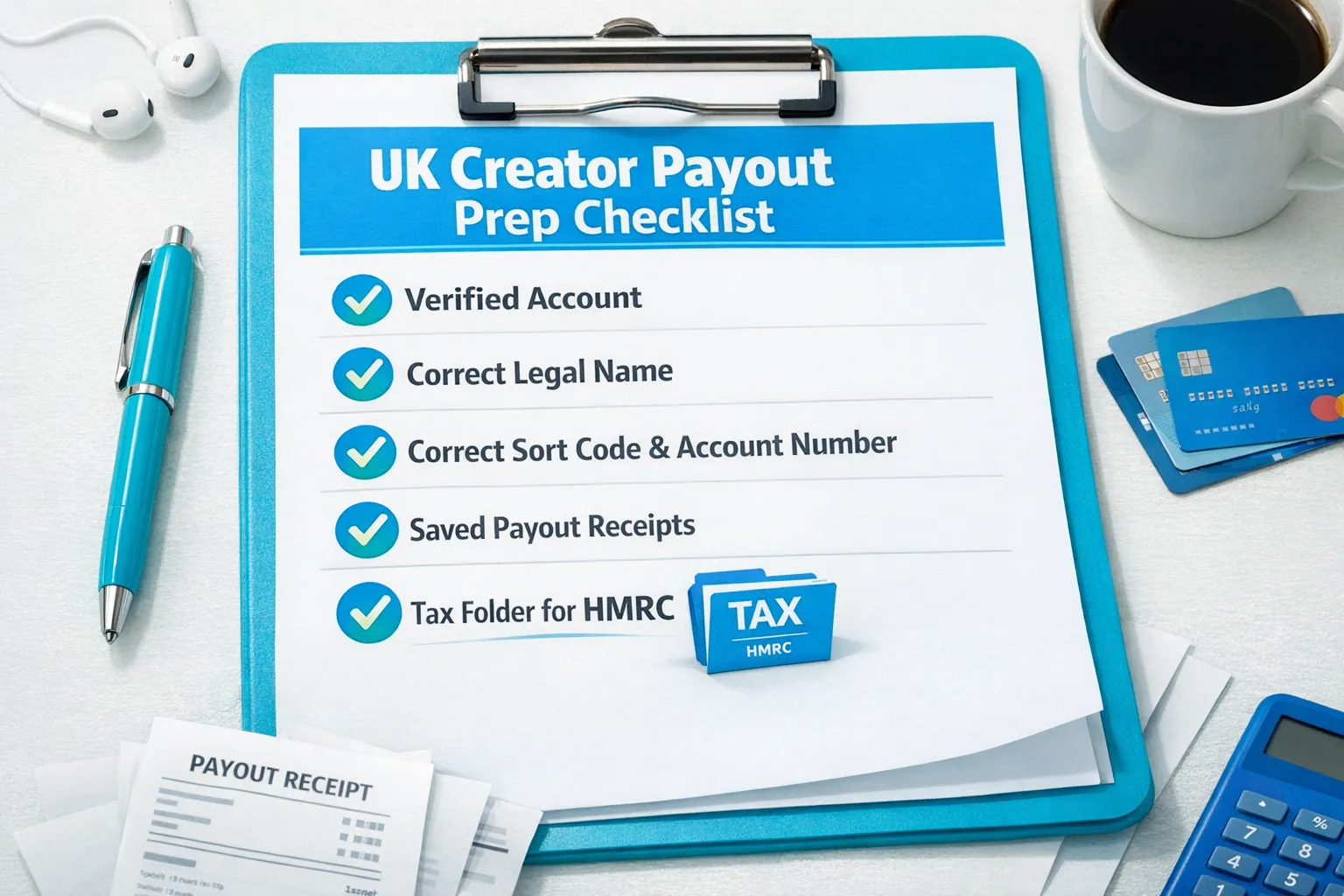
Before you withdraw: 5 things to check (UK creators)
Most payout issues in the UK come from small setup mismatches, not anything “mysterious.” Before you request a withdrawal, do a quick pre-check.
1) Your creator account is fully verified
If your account is still under review, or if OnlyFans requests additional verification, withdrawals can be restricted until that’s resolved.
2) Your payout method is available in the UK (and fully added)
OnlyFans shows the payout methods available to your account based on your country and other factors. In the UK, this is often a bank transfer option, but availability can differ.
If you do not see the method you expected, rely on what the platform offers inside your settings rather than advice from old posts or TikToks.
3) Your legal name matches your bank details
A very common reason for rejected withdrawals is name mismatch.
Use your real legal name on the payout profile exactly as your bank has it (including middle names or initials if your bank includes them).
4) Your banking details are entered correctly
For UK bank transfers, this typically means details like:
- Account holder name
- Sort code
- Account number
- Address details (if requested)
OnlyFans may also request additional banking information depending on how they route payouts.
5) You’ve got a simple “tax and receipts” system ready
This is educational, not legal or tax advice. Policies and laws can change. Verify with official sources or a professional.
If you’re earning real money, treat it like a business now, not later.
- Save payout confirmations and monthly statements
- Keep a spreadsheet of income and business expenses
- Set aside money for tax
If you’re unsure where to start in the UK, HMRC’s guidance on Self Assessment is the safest reference point: Self Assessment: general information.
How to withdraw money from OnlyFans in the United Kingdom (step-by-step)
The exact labels can shift slightly as OnlyFans updates the interface, but the flow stays basically the same.
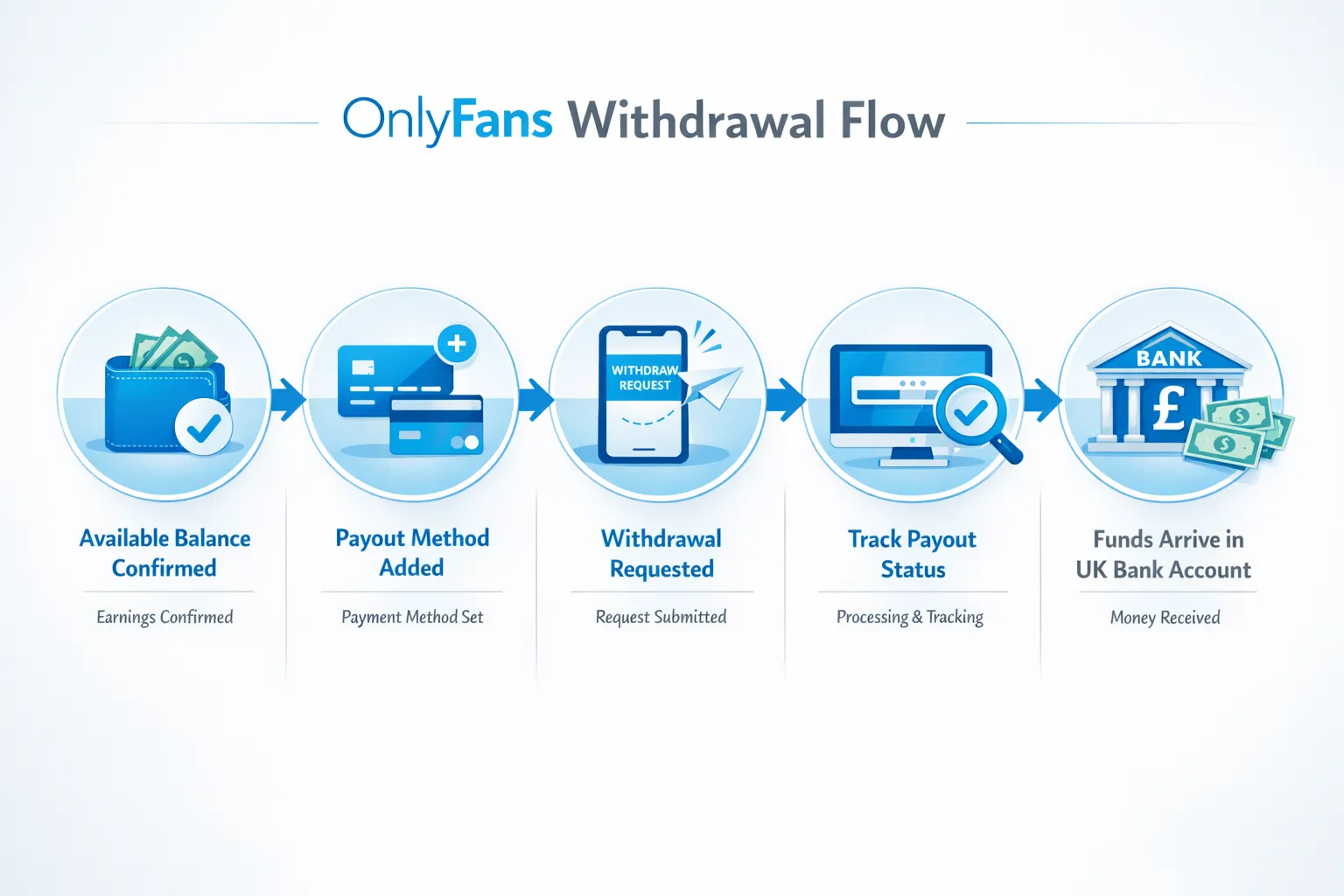
Step 1: Check your available balance
Go to your earnings or statements area and confirm:
- Your available balance (not just total earnings)
- Whether any funds are still pending (some payments take time to clear)
If you see a portion of earnings that is not yet available, you may need to wait until it becomes withdrawable.
Step 2: Open your payout settings
Navigate to the payout or banking settings (often under settings related to payments). If you can’t find it quickly, use the search inside the help section or check the OnlyFans Help Center for the current menu path.
Step 3: Add (or confirm) your payout method
Select the payout method offered to your UK account and enter your information carefully.
Key tips that prevent UK payout problems:
- Copy details from your banking app, don’t type from memory
- Avoid nicknames (use your legal name)
- If you recently changed your name, confirm your bank has updated records first
Once saved, double-check for typos. One wrong digit can cause rejection and delay.
Step 4: Complete any required identity or address prompts
Some creators get additional prompts for information (for example, address confirmation). Complete those before requesting the payout.
Step 5: Request your withdrawal
Once your payout method is saved and your funds are available, request the withdrawal from your balance.
OnlyFans typically shows you a confirmation screen with the amount and destination. Screenshot or download the confirmation for your records.
Step 6: Track the payout status
After you request it, payouts usually move through statuses such as pending, processing, and completed (exact wording can vary).
If it shows completed but you don’t see it at your bank yet, give it a bit of time. Bank posting times can vary, especially across weekends and bank holidays.
How long do OnlyFans withdrawals take in the UK?
Creators usually care about one thing: “When will the money hit my account?”
OnlyFans payout timing depends on multiple variables, including:
- Your payout method
- Whether it’s your first withdrawal (first payouts sometimes take longer)
- Bank processing windows (weekends and bank holidays matter in the UK)
- Any compliance or verification checks
If you need the most accurate estimate, rely on the timeline shown inside your payout area and on OnlyFans’ official help documentation.
Fees, currency conversion, and UK banking notes
This is where creators sometimes get surprised.
Possible fees you might see
Depending on your payout method and bank, you might run into:
- Transfer fees charged by the payout provider
- Receiving fees charged by your bank (less common for standard UK transfers, but it can happen)
- Currency conversion fees if the payout is processed in a currency different from your account
Because these variables depend on your bank and OnlyFans’ payout routing at the time, avoid assuming the exact amount that will arrive until you’ve completed a test payout and reviewed your bank’s fee schedule.
A practical UK tip: use a dedicated bank account
You don’t need anything fancy, but having a separate account for creator income can make your life easier:
- Cleaner bookkeeping
- Easier tax estimates
- Less stress if you ever need to show income history for renting or financing
Common UK payout problems (and how to fix them fast)
If your withdrawal is not going through, it’s usually one of these.
| Problem you see | Most common cause | What to do next |
|---|---|---|
| Payout rejected | Name mismatch or incorrect bank details | Re-check legal name, sort code, account number, and any requested address fields. Update and try again. |
| Payout pending for a long time | Funds not fully cleared or additional review | Wait for pending funds to clear. If it’s unusually long, contact support with payout ID. |
| Payout says completed but money not received | Bank posting delay, weekend/bank holiday, intermediary processing | Allow additional business days, then contact your bank and OnlyFans support with the payout reference. |
| Can’t add a payout method | Country or account eligibility limitations | Use only the methods shown to your account. Check OnlyFans Help Center and support if options are missing unexpectedly. |
| Withdrawal button unavailable | Verification issue or account restriction | Review verification prompts and notifications. Resolve any requests before attempting payout. |
The “silent” issue: your bank flags the payment
Most UK creators never have a problem, but occasionally a bank can pause a payment for security checks.
If that happens:
- Check for a message in your banking app
- Contact your bank’s support and ask what they need to release the transfer
- Avoid repeatedly attempting withdrawals in rapid succession (it can create more flags)
Privacy and safety: getting paid without exposing your personal life
Withdrawing money is also a privacy moment, because it connects your creator work to real-world banking.
If you’re building your page anonymously, you’ll also want to read: How to Secretly Promote Your OnlyFans (Without Friends or Family Finding Out).
Here are the safest payout-related habits for UK creators:
- Use a stage name publicly, but always use your legal name for payouts
- Consider a separate phone number and email for business accounts
- Turn on all security features available (strong passwords, device security)
- Stay organized with a private folder of payout receipts (useful for taxes and disputes)
UK taxes: a simple, non-scary baseline (educational)
This is educational, not legal or tax advice. Policies and laws can change. Verify with official sources or a professional.
If you’re earning on OnlyFans in the UK, you may need to:
- Report income to HMRC (often via Self Assessment)
- Keep records of earnings and expenses
- Set aside money so you are not stressed later
Two creator-friendly habits that help a lot:
- Do a monthly “money date” with yourself: export statements, update your spreadsheet, save receipts.
- Keep an “expenses” folder (lighting, outfits, phone plan portion, editing tools). If you can’t justify it as a business cost, don’t count it.
For official starting points, use HMRC resources like Self Assessment: general information.
If withdrawals are working but income is inconsistent, look at the real bottleneck
A lot of creators search “how to withdraw money” when the real stress is: “I don’t trust that I can make this month repeatable.”
Once payouts are set up, your income stability usually comes down to:
- Traffic (are new fans finding you consistently?)
- Conversion (do profile views turn into paid subs?)
- Monetization (are DMs and PPV doing the heavy lifting?)
- Retention (do subs stay long enough to be profitable?)
If you want a clean way to measure where your subs come from, set up tracking links: OnlyFans Tracking Links Guide: How to Track Clicks, Subs & Traffic Sources.
Frequently Asked Questions
Can I withdraw OnlyFans money to a UK bank account? Yes, many UK creators withdraw to a UK bank account, but the exact payout methods available depend on your account and can change. Check your payout settings to see what methods you can select.
Why is my OnlyFans payout pending in the UK? Pending usually means the funds have not fully cleared yet, the payout is still processing, or your account needs an extra review step. Check your payout status and any notifications in your account.
What should I do if my payout was rejected? Re-check your payout profile and banking details, especially legal name matching, sort code, and account number. Correct any mismatch and try again. If it keeps happening, contact OnlyFans support with the payout details.
Do OnlyFans withdrawals take longer on weekends in the UK? They can, because banks and payment networks often process transfers on business days. Bank holidays can also affect timing.
Do I have to pay tax on OnlyFans income in the UK? Many creators need to report income, but your exact obligations depend on your situation. This is educational, not tax advice. Use HMRC guidance or speak to an accountant.
Want smoother payouts and more consistent income?
If you’re withdrawing successfully but you’re tired of the behind-the-scenes workload (posting schedule, promos, DMs, upsells, leak monitoring, and staying safe), that’s exactly what a management team is for.
Lookstars helps creators focus on content while we handle the business side: marketing and fan growth, 24/7 chatting for DM sales and PPV, posting strategy, privacy setup, and content leak protection. There are no upfront costs and contracts are designed to stay flexible.
Apply or learn more at Lookstars Agency.



Ready to transform your career?
Join hundreds of creators already earning six figures with Lookstars Agency.
Share this article
Best OnlyFans Agency
Europe's Leading OnlyFans Management Agency.

100% Free Ebook
Get our guide and unlock the secrets to OnlyFans success.
100% Free Ebook
Get our guide and unlock the secrets to OnlyFans success.
Free Revenue Calculator & Profile Analyzer
Try them for freeContinue reading...

Am I Attractive Enough for an OnlyFans Agency? The Answer

Can You Ever Fully Delete Your OnlyFans Content? The Reality
