How to Track Clicks and Subs With OnlyFans Tracking Links
If you are promoting on X, Reddit, TikTok, Instagram, or doing SFS with other creators, one thing becomes painfully obvious fast: views are not a KPI. . . Yo...
If you are promoting on X, Reddit, TikTok, Instagram, or doing SFS with other creators, one thing becomes painfully obvious fast: views are not a KPI.
You can have a post “blow up” and still get zero paying subs. Or you can get 40 clicks from a tiny niche subreddit and suddenly pick up consistent spenders.
That is exactly why OnlyFans tracking links matter. They let you stop guessing which promo is actually bringing subscribers, so you can double down on what works and cut what doesn’t.
What OnlyFans tracking links can (and can’t) tell you
OnlyFans tracking links are unique links generated inside your OnlyFans account that attribute clicks and subscriptions to a specific source.
They are perfect for answering questions like:
- “Is Reddit giving me real buyers, or just lurkers?”
- “Which SFS partner actually converts?”
- “Do my TikTok viewers click, but bounce before subscribing?”
But be realistic about limitations:
- Attribution is never perfect. Fans share links, copy/paste usernames, open links on one device and subscribe on another, or return days later.
- Some traffic will show up as ‘unknown’ behaviorally. Not every subscriber’s path is trackable.
- The interface and rules can change. Always verify inside your dashboard, because platform UI and tracking behavior can be updated.
The goal is not “perfect data.” The goal is better decisions than vibes.
The key concept: you are tracking a funnel, not a link
A tracking link is useful only if you know what part of your funnel it represents.
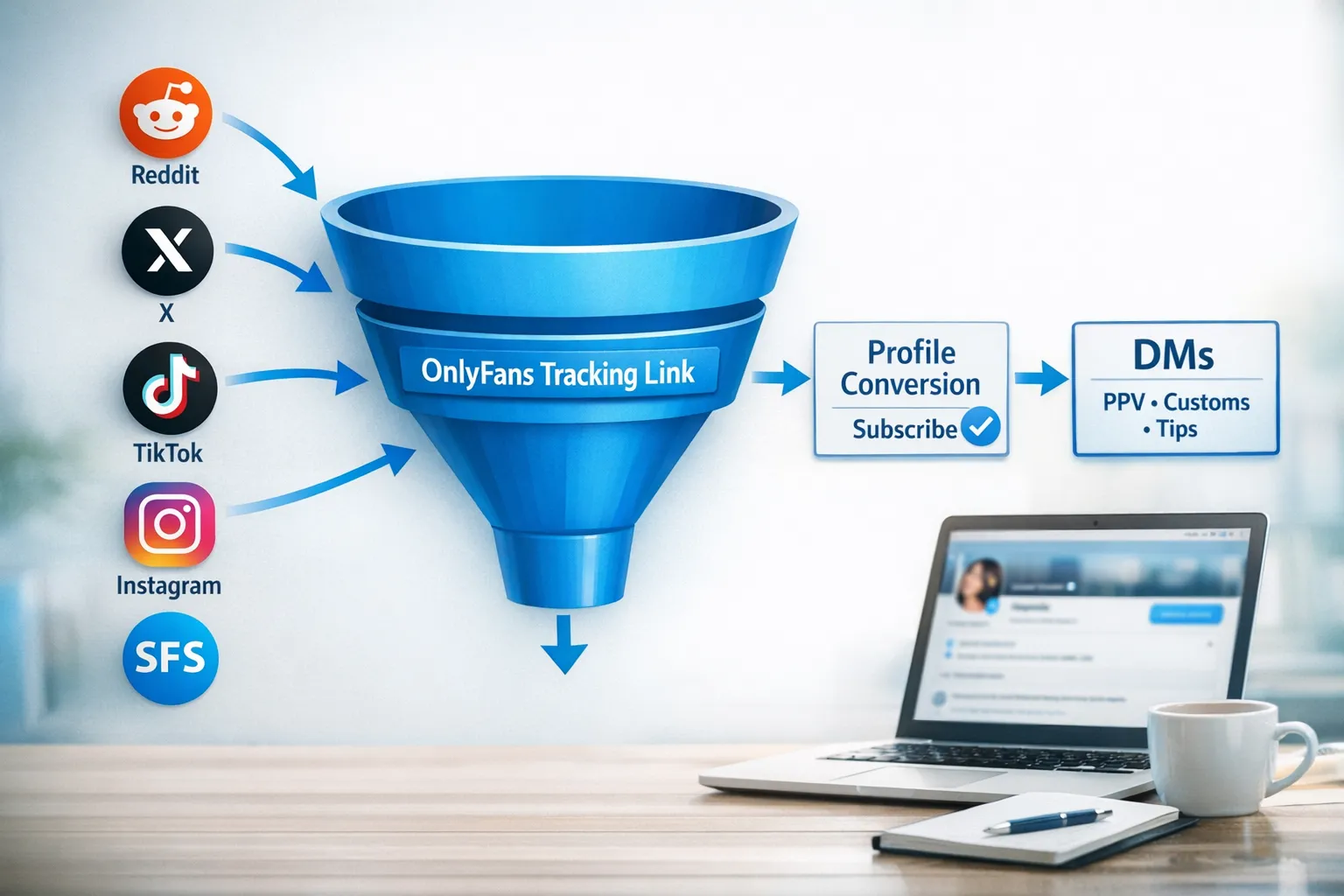
Here’s the funnel to think in:
- Impressions (people see your promo post)
- Clicks (people tap your link)
- Subs (people actually subscribe)
- DM revenue (PPV, tips, customs, renewals)
OnlyFans tracking links mostly cover steps 2 and 3. That still gives you a powerful diagnostic signal: Are you losing people before they subscribe, or are you not getting clicks in the first place?
How to set up OnlyFans tracking links (without breaking attribution)
You don’t need to overcomplicate the setup, but you do need to be consistent.
Step 1: Create the link inside OnlyFans
Inside your OnlyFans settings, there is a section for tracking links where you can generate unique links for different sources.
Two rules that prevent most tracking mistakes:
- Use links generated by OnlyFans. Don’t try to manually recreate the tracking parameter.
- Don’t edit the tracking code. If you change the parameter, you can break attribution.
If you want a full walkthrough of where to find it in the dashboard, keep this guide open as your “strategy layer” and use our step-by-step reference here: OnlyFans tracking links guide.
Step 2: Name links like a business (so future-you isn’t confused)
Most creators sabotage themselves by naming links “reddit1” and “reddit2” and then forgetting what anything means.
Use a simple naming convention that answers 3 questions:
- Where did the click come from?
- What content was it tied to?
- When did you run it?
A clean format:
platform | placement | campaign | month
Examples:
reddit | r/feetpics | tease-set-1 | feb-2026x | pinned | free-trial-promo | feb-2026sfs | partnername | valentines | feb-2026
This is boring on purpose. Boring scales.
What tracking links you should create (and what to track separately)
To track clicks and subs effectively, you want one link per decision you might make.
If you can’t imagine changing your behavior based on the data, you don’t need a separate link.
Here’s a practical tracking map that works for most creators:
| Promo situation | Make a unique tracking link? | Why it matters | Common decision you’ll make from the data |
|---|---|---|---|
| Reddit posting (each major subreddit) | Yes | Subreddits vary wildly in buyer intent | Post more in the subs with higher subscribe rate |
| X (Twitter) pinned post vs. daily tweets | Yes | Pinned often converts differently than timeline | Decide where to focus your best teaser |
| TikTok/IG via a link hub | Yes (one per hub placement) | “Bio traffic” behaves differently than story traffic | Improve your link hub and bio CTA if clicks are high but subs are low |
| SFS with other creators | Yes (one per partner) | Some partners send buyers, others send freebie hunters | Keep 3 to 5 partners that convert and drop the rest |
| Paid promo / shoutout (if compliant with platform rules) | Yes (per purchase) | You need to know ROI | Stop buying promos that drive clicks but no subs |
| Multiple content angles (soft tease vs explicit teaser) | Yes | Different angles pull different buyer quality | Choose the creative that brings higher sub conversion |
The “minimum viable” set of links
If you feel overwhelmed, start with just these:
- 1 link for Reddit
- 1 link for X
- 1 link for TikTok/IG bio hub
- 1 link per SFS partner
That’s enough to find your biggest win and your biggest leak.
How to calculate what matters: click-to-sub conversion
Clicks are not the win. Subscriptions are.
A simple metric to track weekly:
Click-to-sub conversion rate = (subs ÷ clicks) x 100
What counts as “good” varies by:
- How warm the traffic is (Reddit can be warmer than random social)
- How aligned your teaser is with your page
- Your price point and whether you’re running promos
In practice, many creators see conversion in the low single digits on cold traffic. If you’re below that, don’t panic. Treat it as a clue to troubleshoot.
A decision framework: diagnose your bottleneck in 5 minutes
When you look at tracking links, you’re usually in one of these situations.
Scenario A: High clicks, low subs
This is a conversion problem.
Common causes:
- Your promo promise doesn’t match your profile (clickbait vibe)
- Your bio doesn’t clearly say what they get and why they should subscribe now
- Your banner and pinned posts don’t do the “sales job” quickly
- Your price and value signal feel misaligned (especially if you have little on the wall)
- Geographic friction (some markets convert worse, and regulations can affect buyer behavior)
Quick fixes you can do today:
- Tighten your first 3 lines of bio (clear niche, clear offer, clear boundary)
- Add a pinned post that tells them exactly what to do next
- Make sure your preview content feels intentional, not random
If you want help dialing your page so clicks turn into paying subscribers, pair this tracking work with a conversion-focused setup from our selling guide: How to sell content on OnlyFans.
Scenario B: Low clicks, high subs
This is a traffic problem, but you have proof your page converts.
This is honestly a great place to be, because it means:
- Your page is doing its job
- You just need more qualified eyeballs
Action:
- Put your energy into the channel that converts best (and post more there)
- Test more teasers and hooks on that platform
- Expand into collaborations (with tracking links per partner)
If you’re building SFS into your strategy, use this as your playbook: How to collaborate with other OnlyFans creators & use SFS.
Scenario C: Clicks and subs are fine, but money is flat
This is a monetization and retention problem, not a promo problem.
Often it looks like:
- You get subs, but they don’t buy PPV
- You get subs, but they don’t renew
- You rely on subscription revenue only
Action:
- Build a DM sales flow (welcome message, soft segmentation, PPV cadence)
- Improve your PPV packaging and pricing logic
- Make your content mix clearer (feed for retention, DMs for revenue)
If you suspect this is you, your next read is: How much to charge for PPV on OnlyFans.
Your simple weekly tracking routine (spreadsheet template included)
You do not need fancy software. You need a habit.
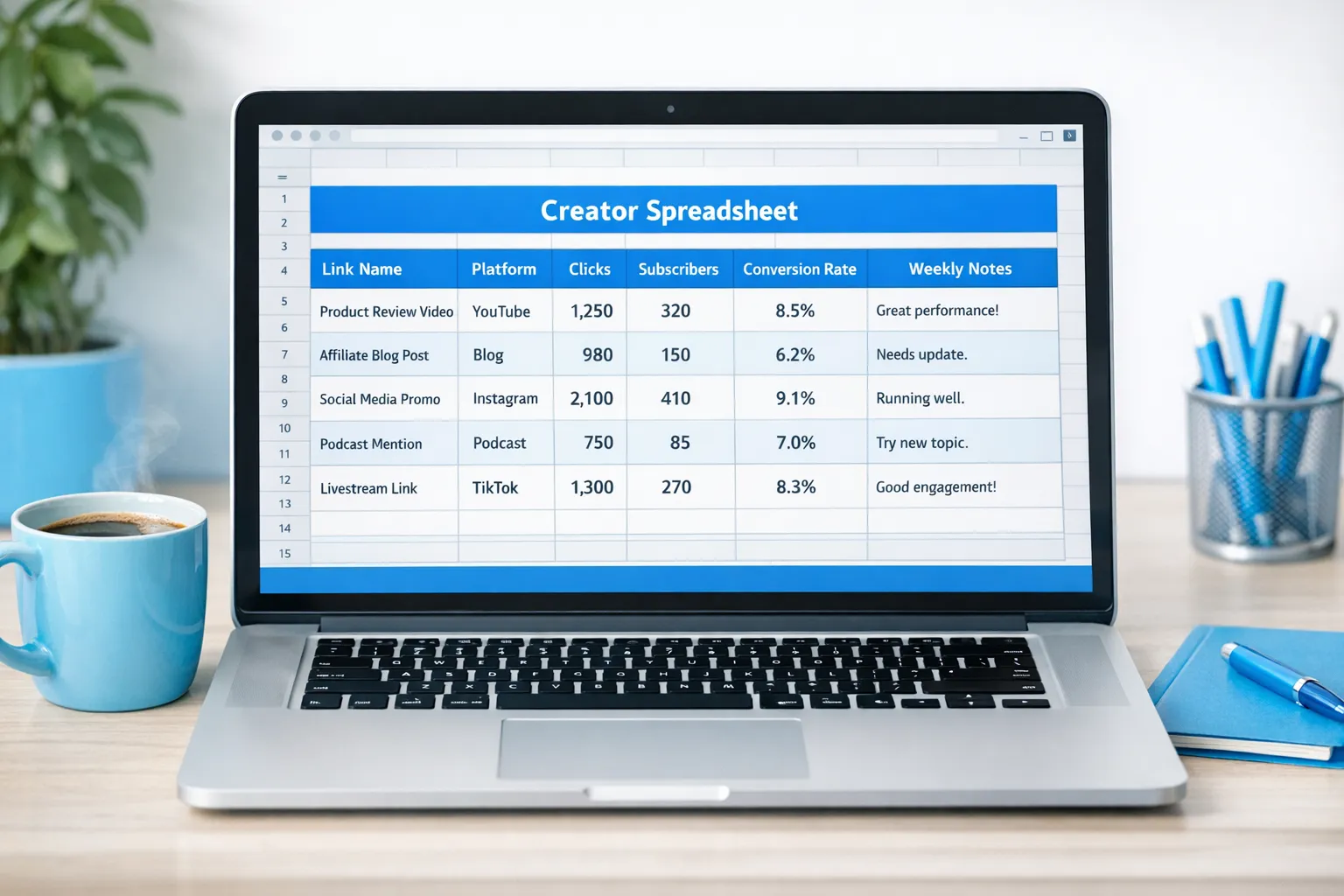
Once a week, log these for each tracking link:
- Clicks
- Subs
- Conversion rate
- Notes (what you posted, hook, visuals, and any promo)
Use this spreadsheet column template:
| Date range | Link name | Platform | Placement | Clicks | Subs | Conv % | What you posted | What you’ll change next week |
|---|---|---|---|---|---|---|---|---|
| Feb 10 to Feb 16 | reddit \ r/subname \ feb-2026 | Post |
The rule that makes this actually work
Don’t track everything. Track one or two experiments per week.
Examples:
- Same subreddit, two different teaser styles
- Same X account, two different pinned tweet angles
- Same SFS partner, two different shoutout creatives
If you change five things at once, the data becomes useless.
Tracking links with link hubs (Linktree, Beacons, etc.)
If you use a link hub, you can still get clean data, you just need to be intentional.
Best practices:
- Put your OnlyFans tracking link behind the OnlyFans button on your hub.
- Create separate tracking links for different hub placements (bio vs story, or main hub vs backup hub).
- Keep the hub simple. Too many buttons can lower your OnlyFans click-through.
One important caution: if privacy matters to you (no-face creators especially), link hubs can increase discoverability risks if you reuse the same handle everywhere. Pair your tracking with privacy hygiene. This guide is a good starting point: How to secretly promote your OnlyFans (without friends or family finding out).
Collaboration tracking: how to know who is sending buyers (not just traffic)
For SFS, the mistake is using one link for “SFS” and calling it a day.
Instead:
- Create one tracking link per partner
- Use it consistently for that partner’s shoutouts
- After 2 to 4 weeks, compare partners by:
- click-to-sub conversion
- total subs generated
Then make an adult business decision:
- Keep partners who send buyers
- Drop partners who send freebie hunters
- Renegotiate if the trade is lopsided
Common tracking mistakes that quietly ruin your data
These show up constantly:
- Using the same tracking link everywhere and then wondering what worked
- Switching links mid-campaign without writing it down
- Testing new promo angles while also changing your price and bio (too many variables)
- Judging a source too fast (some sources convert slower)
- Chasing clicks instead of subscribe rate
If you want to scale, you need to protect your time and focus. Tracking links do that.
When tracking links become a “team task” (and how Lookstars fits)
Once your promo volume grows, tracking becomes operational:
- Someone has to generate, label, and maintain links
- Someone has to log weekly results
- Someone has to turn the numbers into actions (more of this, less of that)
If you’re doing everything solo, tracking is usually the first thing to slip, right when it matters most.
If you’re considering delegating parts of your business, read this first so you choose safely: Working with an agency vs running OnlyFans alone.
At Lookstars, we help creators build repeatable growth systems, including marketing, 24/7 fan chatting, posting strategy, privacy protection, and leak takedowns. If you want support setting up a clean tracking system and actually using it to make weekly decisions, you can learn more here: Lookstars OnlyFans management agency.
The win is simple: track what you do, so you can do more of what pays you.



Ready to transform your career?
Join hundreds of creators already earning six figures with Lookstars Agency.
Share this article
Best OnlyFans Agency
Europe's Leading OnlyFans Management Agency.
100% Free Ebook
Get our guide and unlock the secrets to OnlyFans success.
100% Free Ebook
Get our guide and unlock the secrets to OnlyFans success.
Free Revenue Calculator & Profile Analyzer
Try them for freeContinue reading...
Am I Attractive Enough for an OnlyFans Agency? The Answer
Can You Ever Fully Delete Your OnlyFans Content? The Reality