How to Create a Secret OnlyFans: A Complete Guide to Maintaining Your Privacy
Most people who Google “secret OnlyFans” aren’t trying to hide from the internet, they’re trying to protect themselves from one specific risk: being recogniz...
Most people who Google “secret OnlyFans” aren’t trying to hide from the internet, they’re trying to protect themselves from one specific risk: being recognized by family, coworkers, classmates, or locals.
That’s a valid goal, and it’s achievable, but it’s not a “set one toggle and you’re invisible” situation. Privacy on OnlyFans is a system: identity separation, secure settings, careful content habits, and a leak-response plan.
This guide walks you through how to create a secret OnlyFans in a realistic, privacy-first way, without pretending there’s zero risk.
What a “secret OnlyFans” can (and can’t) mean
Let’s define the target clearly.
A “secret OnlyFans” usually means:
- Your profile name and promo accounts do not connect to your legal name.
- Your content and marketing don’t accidentally reveal your location, face, or identifying details.
- You reduce “accidental discovery” (people finding you through suggestions, location clues, reused usernames, or searchable images).
It does not mean:
- You can skip identity verification. Adult platforms typically require ID checks. Do not use fake information or try to bypass verification.
- You can guarantee nobody will ever find out. If someone is determined and has context about you, there is always residual risk.
If you want the basics of setting up and verifying an account (non-privacy focused), start here: How to Start, Create & Verify Your OnlyFans Account.
Step 1: Build your privacy plan with a simple “threat model”
Privacy advice gets confusing because different creators need different levels of protection.
Before you create anything, answer this:
- Who are you trying to stay private from? (ex: coworkers, your hometown, an ex, your whole country)
- What would “being found” look like? (ex: they see your promo TikTok, they recognize your room, your name appears on a bank statement)
- How much inconvenience can you tolerate? (ex: separate phone, separate laptop, separate bank)
Here’s a practical way to map it:
| Risk source | What “getting found” usually looks like | Best protections (high impact first) |
|---|---|---|
| Social graph | Friends get your account suggested, or you reuse a username people know | Separate accounts, no contact sync, never reuse handles |
| Visual ID | Face, tattoos, background items, reflections, distinctive jewelry | Faceless shooting rules, background control, remove reflections |
| Technical breadcrumbs | Metadata (EXIF), location tags, cloud photo sharing | Strip metadata, disable auto-upload, separate device storage |
| Geographic discovery | Locals stumble on your content, or someone searches locally | Country/state blocking, avoid local tags/clues |
| Financial/admin | Bank statement, tax form, chargebacks, payout name questions | Separate bank, clear bookkeeping, plan for tax paperwork |
| Leaks | Your content reposted with your stage name linked back to you | Watermarks, monitoring, takedowns, boundaries on what you share |
Once you know your top 2 risks, the rest of your choices get easier.
Step 2: Create a clean “identity stack” (separation is everything)
The fastest way creators get exposed is not hacking, it’s identity overlap.
Email and passwords
- Create a brand-new email address used only for adult work.
- Use a password manager and a unique password.
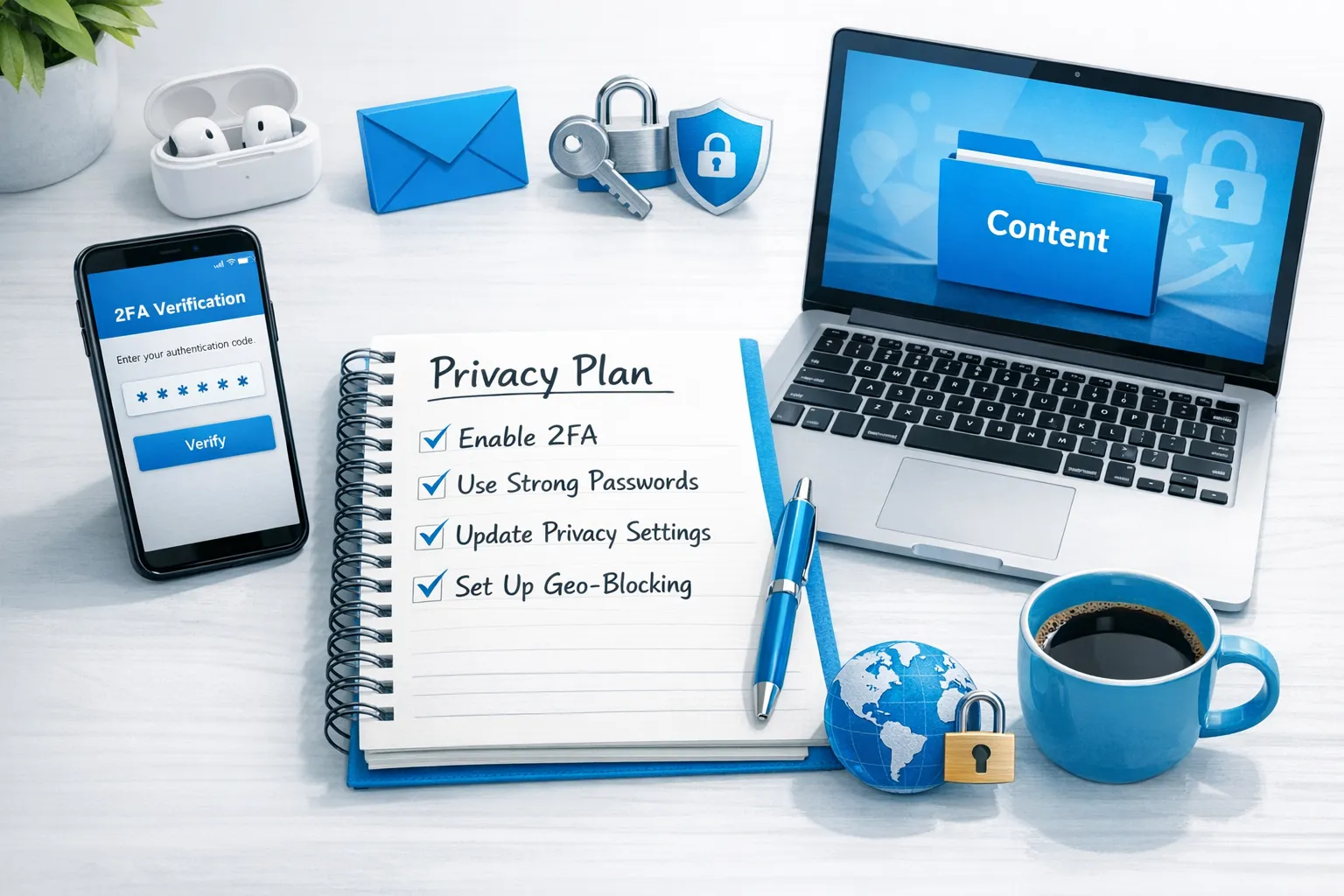
- Turn on 2-factor authentication wherever it’s available.
Phone number (optional, but helpful)
If your privacy level is high, consider a number that is not tied to your everyday social accounts.
Options creators commonly consider:
- A low-cost second SIM on an old phone
- A VOIP number (works for some services, not all)
The goal is not to be “untraceable,” it’s to stop your adult-work login from being connected to your personal social identity.
Stage name and username rules
Use a stage name that:
- You have never used anywhere else
- Doesn’t include your real first name, initials, birth year, or city
- Can be used consistently across promo platforms
If you need help brainstorming, use this guide: Best OnlyFans Name Ideas: Tips for a Successful Username.
Step 3: Lock down OnlyFans security and visibility settings
This section is about lowering “random discovery” and protecting your account.
Must-do security settings
- Enable 2FA if available in your settings.
- Use a unique password that is not reused anywhere.
- Avoid logging into your creator account on shared devices.
For general platform documentation, you can double-check current settings in the OnlyFans Help Center (policies and menus can change).
Country blocking and location privacy
If your primary worry is locals recognizing you, country blocking is one of the most useful tools.
A few important realities:
- Country blocking helps reduce casual discovery, but it is not perfect.
- Your promo strategy also matters. Posting public content on mainstream platforms can still reach locals.
If you want privacy-first promotion ideas, read: How to Secretly Promote Your OnlyFans (Without Friends or Family Finding Out).
Step 4: Create content in a way that protects your identity
This is where most “secret OnlyFans” plans fail, because content is full of tiny clues.
Faceless content that still sells
You can build a strong page without showing your face, as long as your content has a consistent vibe and POV.
A practical starting point: How to Make Money on OnlyFans without Showing Your Face & Stay Anonymous.
A privacy checklist for every shoot
Before you hit record, scan for:
- Mirrors, windows, glossy frames (reflections)
- Mail, packages, prescriptions, work badges
- Street sounds, school announcements, recognizable local details
- Tattoos, birthmarks, distinctive jewelry (or anything someone has commented on in real life)
If you do show your face sometimes, consider not showing it in promo at all. Many creators keep the feed more revealing than the marketing, because marketing is what travels furthest.
Remove photo and video metadata (EXIF)
Photos often contain metadata like device model and sometimes location-related fields.
- Turn off location services for your camera.
- Avoid uploading directly from apps that auto-sync.
- Export content through a workflow that strips metadata.
This is one of those “boring” steps that prevents a lot of accidental exposure.
Step 5: Handle payouts, taxes, and paperwork with eyes open
This part matters because even if your profile is anonymous, money trails are real.
Some reminders to plan around:
- Platforms may issue tax forms depending on your country and earnings.
- Your bank statements may show payout descriptors.
- If you share accounts with a partner or family, privacy is much harder.
A simple privacy-friendly approach is to keep your creator income and expenses separated:
- Separate bank account (even if it’s not a business entity)
- Separate email for banking and platform communications
- Weekly bookkeeping habit so you don’t scramble later
For staying organized: OnlyFans Taxes: Weekly Habit to Stay Organized.
If you’re thinking about forming a company for separation, read this first: LLC for OnlyFans: When It Makes Sense. An LLC can help with separation and professionalism, but it is not a magic anonymity shield.
Disclaimer: This is educational, not legal or tax advice. Laws and platform policies can change, verify with official sources or a qualified professional.
Step 6: Have a leak plan before you grow
If you plan to earn seriously, assume leaks will happen at some point. The goal is to reduce damage and respond fast.
What helps in real life
- Add watermarks to content you post publicly (and sometimes even inside paid content).
- Keep a “takedown folder” with proof of ownership (original files, timestamps, links).
- Decide your boundary ahead of time for customs and highly identifying content.
If you work with a team or agency, ask exactly how they handle monitoring and DMCA takedowns, and what the response time looks like.
Step 7: Avoid the common “oops” that exposes creators
These are the patterns we see most often:
- Reusing the same username you used on Instagram, gaming, or email
- Posting the same photos on multiple platforms without changing filenames or stripping metadata
- Letting iCloud/Google Photos sync adult content to a shared family device
- Promoting on accounts that are still connected to your personal contacts
- Filming in a room with unique, recognizable items (trophies, diplomas, local sports team gear)
- Using the same background music, voice style, or catchphrases that friends already associate with you
If you do nothing else, fix the identity overlap issues. They cause the majority of exposure.
The “60-minute secret OnlyFans setup” checklist
Use this as your quick start.
| Time | What to do | Why it matters |
|---|---|---|
| 0 to 10 min | Create a new email + password manager entry | Prevents identity overlap |
| 10 to 20 min | Choose a stage name + unique username | Stops casual recognition |
| 20 to 30 min | Create account, enable security settings | Reduces takeover risk |
| 30 to 40 min | Turn off location services, set up content folders (no cloud sync) | Prevents metadata and device leaks |
| 40 to 50 min | Set country blocking (if relevant) | Lowers local discovery |
| 50 to 60 min | Write your “shoot rules” (face, tattoos, background, reflections) | Keeps privacy consistent over time |
Frequently Asked Questions
Can I make a secret OnlyFans without verifying my identity? No. If you want to use OnlyFans, you should expect to verify your identity. Do not use fake information or try to bypass verification.
Will country blocking keep my OnlyFans completely hidden from people near me? It can reduce casual discovery, but it’s not a guarantee. Your promo choices (especially public social media) often matter more than one setting.
Can I run a secret OnlyFans and still show my face? Yes, but it raises risk. Many creators choose a hybrid: face visible inside paid content (or only on request), but faceless marketing everywhere else.
What’s the biggest mistake that gets creators exposed? Reusing usernames, emails, photos, or devices across personal life and creator life. Separation sounds extreme, but it’s the highest-impact privacy habit.
If my content leaks, what should I do first? Document links, gather proof you own the content, file takedown requests where possible, and tighten what you share going forward. If you’re overwhelmed, get help from a professional leak-protection team.
Want help building a privacy-first OnlyFans (without doing it all alone)?
If you’re trying to grow while staying private, it’s a lot to manage at once: secure setup, leak protection, smart posting, and constant fan engagement.
Lookstars is an OnlyFans management agency that supports creators with marketing and fan growth, 24/7 fan chatting, strategic posting management, privacy setup (including country blocking), and content leak protection. They also offer zero upfront costs, weekly payouts, and flexible cancel-anytime contracts, so you can get support without locking yourself into a long commitment.
If you want a privacy-first growth plan tailored to your situation, you can start here: Lookstars Agency.
Ready to transform your career?
Join hundreds of creators already earning six figures with Lookstars Agency.
Share this article
Best OnlyFans Agency
Europe's Leading OnlyFans Management Agency.
100% Free Ebook
Get our guide and unlock the secrets to OnlyFans success.
100% Free Ebook
Get our guide and unlock the secrets to OnlyFans success.
Free Revenue Calculator & Profile Analyzer
Try them for freeContinue reading...

Am I Attractive Enough for an OnlyFans Agency? The Answer

Can You Ever Fully Delete Your OnlyFans Content? The Reality
