How to Build a Simple Pricing Menu Fans Understand
A pricing menu sounds “extra”… until you realize it solves the #1 reason fans stop spending: confusion. . . When a subscriber has to ask “how much for…?” and...
A pricing menu sounds “extra”… until you realize it solves the #1 reason fans stop spending: confusion.
When a subscriber has to ask “how much for…?” and you reply with a different price every time, it creates friction, awkwardness, and sometimes distrust. A simple menu makes spending feel easy, playful, and safe for both of you.
This guide shows you how to build a clean, fan-friendly pricing menu (without turning your page into a spreadsheet), plus copy/paste templates you can start using today.
What a “simple pricing menu” actually is (and what it is not)
A simple pricing menu is a short, predictable list of what you offer, what it starts at, and how to order.
It is not:
- A 40-line list of every possible pose and kink
- A promise you can’t keep when you’re tired, busy, or not in the mood
- A negotiation trap that invites lowballing
The best menus do two things at once:
- Help good fans spend faster
- Protect your boundaries so you don’t burn out
Step 1: Pick your core business model (so your menu makes sense)
Before you write prices, decide what you’re selling most.
Different creator “models” work. The key is choosing one that matches your time, comfort level, and traffic.
| Model | Best for | How it feels to fans | Main risk | Menu tip |
|---|---|---|---|---|
| Lower sub price + PPV-led | Creators who can handle DMs and want higher per-fan spend | “Affordable to enter, fun upgrades inside” | Underpricing your time if PPV/customs aren’t structured | Keep PPV/custom tiers very clear and repeatable |
| Higher sub price + simpler upsells | Creators with strong brand/niche and limited DM time | “Premium access, fewer surprises” | Conversion can drop if promo traffic is cold | Keep add-ons minimal: 2 to 3 offers max |
If you want deeper help choosing between sub-led vs PPV-led, this article breaks down the pricing logic in more detail: How Much to Charge for PPV on OnlyFans.
Step 2: Choose 4 to 6 “menu items” fans instantly understand
Fans spend more when choices are simple. Your menu should be readable in 10 seconds.
A clean starter set (works for most niches):
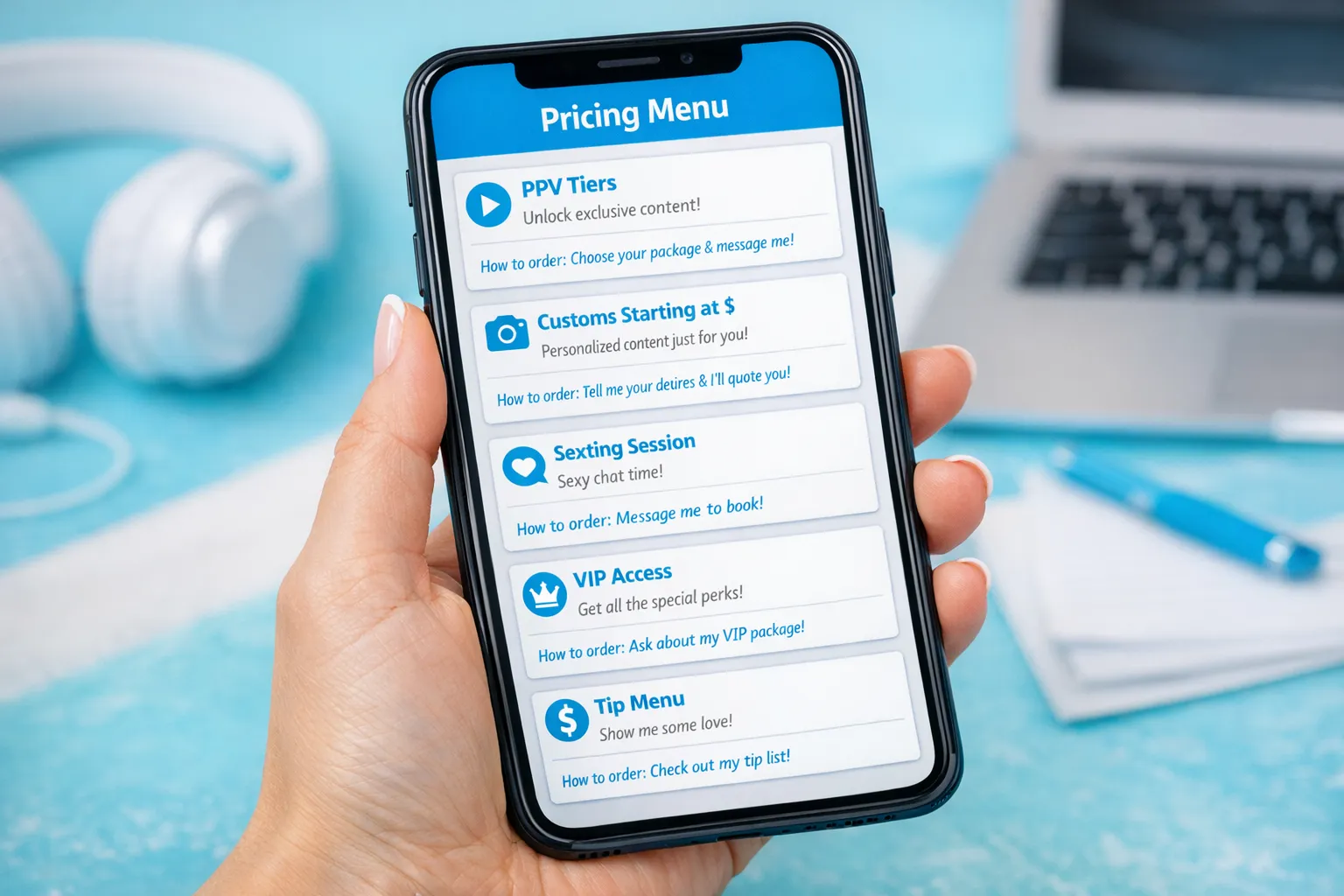
- Custom content (starting at)
- Sexting session (time-based)
- PPV bundles (3 tiers)
- VIP (monthly add-on)
- Tips menu (small actions)
If you’re newer and still building confidence, start with just 3 items and expand later.
Step 3: Make your prices easy to “say yes” to
Fans hesitate when:
- The price jumps around unpredictably
- They don’t understand what’s included
- Ordering feels complicated
So structure your pricing with these three rules:
Rule A: Use “starting at” for anything that depends on time/effort
Customs, roleplay, and highly specific requests vary. “Starting at” protects you.
Examples of language that stays firm but friendly:
- Custom videos: starting at $X (depends on length + request)
- Custom photo sets: starting at $X (depends on theme + quantity)
Rule B: Offer 3 tiers max for the same thing
Too many options creates decision fatigue.
A simple PPV bundle format:
- Tease
- Spicy
- Premium
Rule C: Put the “how to order” in the same message
Fans should never wonder what to do next.
Good ordering instructions:
- “Tip the amount + write your request”
- “Reply with: TEASE / SPICY / PREMIUM”
- “Send your budget and what you want, I’ll confirm before I create anything”
For selling flows that work especially well inside DMs, see: How to Sell Content on OnlyFans (Step-by-Step).
Step 4: Write the menu in “fan language” (not creator language)
Fans do not care about your internal categories like “mass PPV” vs “conversational PPV.” They care about the experience.
Swap this:
- “PPV 1, PPV 2, PPV 3”
For this:
- “Quick Tease (instant)”
- “Longer Video (more explicit)”
- “Full Premium Bundle (best value)”
Also, use sensory and emotional outcomes when it fits your brand:
- “Sweet GFE vibe”
- “Dirty talk and teasing”
- “Personalized, made just for you”
If chatting is a big revenue driver for you, you’ll also want consistent language in DMs. This guide is helpful for building those flows: OnlyFans Sexting Guide.
Step 5: Add boundaries directly into the menu (so you don’t have to argue later)
Boundaries are not “mood killers.” They are what make your page sustainable.
Add a short line like:
- “I’ll always confirm pricing before I make anything.”
- “No refunds after delivery (digital content).”
- “I may say no to requests that don’t fit my vibe.”
Keep it calm. Not defensive.
Important: platform policies can change, and different offer types can have rules. This is educational, not legal advice. Verify in OnlyFans’ official Terms and help docs before offering anything new.
Two ready-to-use pricing menu templates (copy/paste)
These are written to be simple, clear, and easy to send in DMs. Replace the prices with your own.
Template 1: “Simple and sexy” menu (great for beginners)
My Menu (quick + simple) 💕
PPV videos
- Tease: $X
- Spicy: $X
- Premium: $X
Custom videos
- Starting at $X (depends on length + request)
Sexting session
- 15 min: $X
- 30 min: $X
How to order: Tip the amount + message me what you want. I’ll confirm before I start.
Template 2: “VIP-focused” menu (for higher spenders)
VIP Menu ✨
VIP add-on (monthly): $X Includes: priority replies + surprise drops (when I’m online)
Premium custom video: starting at $X
Private spicy chat:
- 20 min: $X
How to order: Reply “VIP” or “CUSTOM” and tell me your vibe + budget, I’ll confirm options.
If you also want a menu that increases tipping without feeling pushy, this pairs well: How to Get Tips on OnlyFans (Without Sounding Desperate).
Where to put your menu so fans actually see it
A menu only works if it’s visible at the exact moment someone wants to spend.
Use these placements:
In your welcome message (best for new subs)
Your welcome message is where menus convert the fastest because the fan is already excited.
As a pinned post (best for returning subs)
Keep it short and clean. If you update prices, update the pinned post the same day.
As a DM you send when they ask “what do you offer?”
This is where you avoid awkward back-and-forth. Send the menu, then ask one question.
A simple follow-up question that sells without pressure:
“Are you in the mood for a quick tease, something spicy, or a custom made just for you?”
Bonus: Make your bio match your menu
If your bio screams “VIP girlfriend experience” but your menu is all customs, fans get confused.
Use a bio that sets expectations. This helps: OnlyFans Bio Ideas That Actually Get Subs.
A quick decision checklist (so your menu stays simple)
Use this checklist before you publish your menu:
- Can a fan understand it in 10 seconds?
- Do you have 4 to 6 items max?
- Do customs say “starting at” (not one rigid number)?
- Are there 3 tiers max per category?
- Does it include “how to order” in one line?
- Does it protect your boundaries (confirmation, limits, your right to say no)?
- Does it match your actual time and energy every week?
If you answer “no” to any of these, simplify before you raise prices.
How to test whether your menu is working (without guessing)
Your goal is not “more messages.” It’s more paid outcomes with less emotional labor.
Track:
- How often fans ask pricing questions (should go down)
- How many menu sends turn into a purchase
- Which tier gets picked most
If you’re promoting across platforms, use tracking links so you can separate “traffic problems” from “pricing problems.” Here’s the setup: OnlyFans Tracking Links Guide.
Common mistakes that quietly kill sales (and how to fix them)
Mistake 1: Your menu is a wall of text
Fix: shorten descriptions to one line each.
Mistake 2: You negotiate in public
Fix: keep the menu standard, then personalize with a single follow-up question about vibe and budget.
Mistake 3: You underprice the thing that drains you
Fix: raise the price or remove it from the menu. Your menu should protect your energy.
Mistake 4: You share your menu with the wrong people
Fix: don’t reward time-wasters with long explanations. Send the menu once, then move on.
If you’ve dealt with pushy “managers” or weird outsourcing offers, stay cautious. This safety read is worth it: OnlyFans Scam: How Agencies, Managers and Chatters Rob the Creators.
When it makes sense to get help with pricing, DMs, and offers
If you’re already getting traffic but your income feels inconsistent, it’s often one of these bottlenecks:
- Your DMs are slow, so you miss impulse buys
- Your offers are unclear, so fans stall
- Your menu exists, but your follow-up doesn’t close
- You’re exhausted, so you stop selling for days
That’s the exact point where many creators consider support from an OnlyFans management agency: strategy, posting structure, 24/7 chatting, and pricing systems that keep your page consistent.
If you want to see what that looks like in real life, start here: Working With an Agency vs Running OnlyFans Alone. And if you want to explore full management with no upfront costs and flexible terms, you can learn more about Lookstars at Lookstars Agency.
The simplest version you can implement today
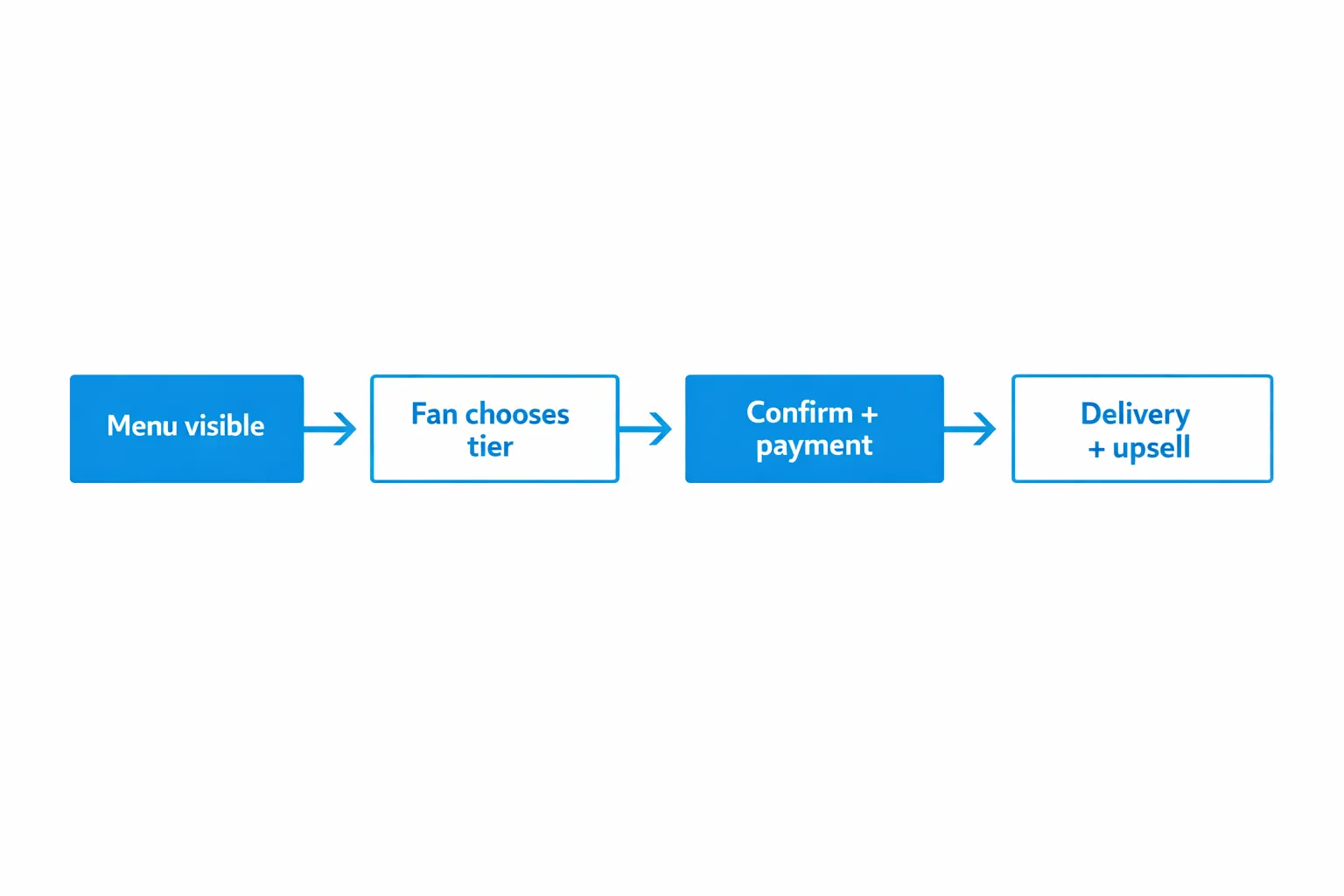
If you’re overwhelmed, do this in 20 minutes:
Write a menu with:
- 3 PPV tiers
- 1 custom “starting at” price
- 1 sexting session option
- 1 line: how to order
Pin it. Add it to your welcome message. Then use the same wording every time.
Consistency is what makes fans feel safe spending, and what makes your income easier to predict.

Ready to transform your career?
Join hundreds of creators already earning six figures with Lookstars Agency.
Share this article
Best OnlyFans Agency
Europe's Leading OnlyFans Management Agency.
100% Free Ebook
Get our guide and unlock the secrets to OnlyFans success.
100% Free Ebook
Get our guide and unlock the secrets to OnlyFans success.
Free Revenue Calculator & Profile Analyzer
Try them for freeContinue reading...
Am I Attractive Enough for an OnlyFans Agency? The Answer
Can You Ever Fully Delete Your OnlyFans Content? The Reality