Best Posting Times: How to Test Your Audience
“Best posting times” are real, but they’re not universal. . . Two creators can post the same teaser, on the same day, and get completely different results be...

“Best posting times” are real, but they’re not universal.
Two creators can post the same teaser, on the same day, and get completely different results because their audiences are different (time zones, work schedules, spending habits, even how many notifications they have turned on).
So instead of copying a chart that says “post at 9pm,” the smartest move is to test your audience like a business. This guide shows you exactly how to do that, in a way that’s simple, realistic, and measurable.
Why “best posting times” are personal (and why guessing costs you money)
On OnlyFans (and on your promo platforms), timing matters for one reason: you want your content to land when your fans are available and emotionally ready to engage.
But availability is personal:
- Some fans scroll during lunch breaks.
- Some are only active late at night.
- Some binge on weekends and disappear midweek.
- Some spend most when they’re already chatting with you.
If you post at the wrong time, you don’t just lose likes. You lose:
- Feed visibility (less early engagement)
- DM response momentum
- PPV opens
- Tips (because the moment passes)
This is especially painful if you’re consistent but feel “stuck.” Often it’s not your content quality, it’s distribution.
What you should measure (because likes alone lie)
To find your best posting times, you need to measure outcomes that match your goal.
The 3 goals creators usually care about
Goal A: Grow subscribers
- Best for: creators focusing on traffic and conversion
- What to track: profile visits, new subs, conversion rate
Goal B: Increase PPV and tips
- Best for: creators with an existing fanbase
- What to track: PPV opens, PPV revenue, tip frequency
Goal C: Reduce churn and increase retention
- Best for: creators who already get subs but lose them quickly
- What to track: renewals, rebills, engagement on “relationship” posts
A lot of creators accidentally optimize for “likes,” then wonder why income doesn’t move.
If you want to track promo traffic properly, set up tracking links so you can see what platform and what post actually converted. Here’s Lookstars’ walkthrough: OnlyFans Tracking Links Guide.
The timing factors that actually affect your results
Before you test anything, it helps to understand what you’re trying to capture.
1) Audience time zones
If your paying audience is mostly US-based, your “prime time” might be very different than if you attract Europe, Australia, or a mixed global crowd.
You don’t need to guess perfectly, just identify your likely top zone.
Practical clues:
- When do your DMs get busiest?
- When do tips come in?
- When do your promo posts get the most replies?
2) Fan intent windows
Fans behave differently depending on the moment:
- Casual scroll moments (short breaks) are great for teasers and short posts.
- Long-form moments (late evening, weekends) are better for deeper engagement and higher-spend conversations.
- Impulse-spend moments often happen when a fan is already interacting with you.
3) Content type
Your “best time” for a feed post is not always the best time for:
- a mass PPV message
- a Story
- a Live stream
If you’re building a balanced content system, use a plan like the one in Best OnlyFans Content Ideas (What to Post on OnlyFans) in 2025 and then layer timing tests on top.
The “3-slot test”: the simplest way to find your best posting times
This is the testing method I recommend when you want clarity fast without turning your life into spreadsheets.
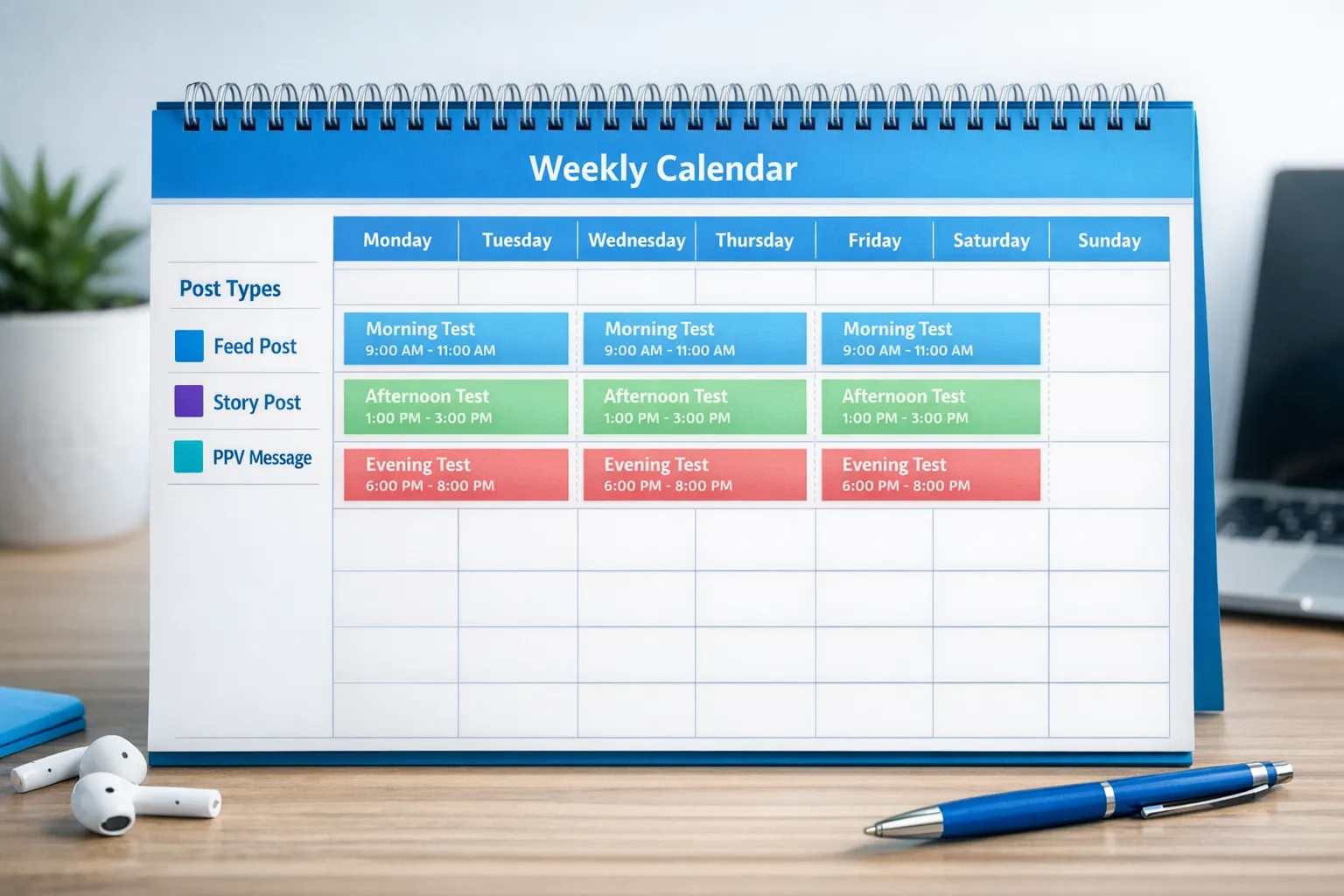
Step 1: Pick 3 time slots to test
Choose three slots that cover your likely range:
- Slot 1: Morning (for example, 8am to 11am)
- Slot 2: Afternoon (for example, 1pm to 4pm)
- Slot 3: Evening (for example, 7pm to 11pm)
Use your audience clues to choose times that make sense for your biggest market.
Step 2: Keep the content type consistent during the test
If Day 1 is a spicy teaser photo set and Day 2 is a soft selfie with a life caption, timing comparisons get messy.
To get clean results:
- Test feed posts against feed posts.
- Test PPV drops against PPV drops.
- Keep your offer style similar.
Step 3: Rotate the slots (don’t “batch” one time for a full week)
Posting every evening for 7 days could look like “evening wins,” when actually your audience was just more active that week.
Rotation reduces noise.
Here’s a simple 2-week rotation:
| Day | Post type | Time slot | What you’re testing |
|---|---|---|---|
| 1 | Feed post | Slot 1 | Morning engagement and profile activity |
| 2 | Feed post | Slot 2 | Afternoon engagement and profile activity |
| 3 | Feed post | Slot 3 | Evening engagement and profile activity |
| 4 | Feed post | Slot 1 | Repeat to confirm pattern |
| 5 | Feed post | Slot 2 | Repeat to confirm pattern |
| 6 | Feed post | Slot 3 | Repeat to confirm pattern |
| 7 | Rest or Story-only | n/a | Avoid burnout and keep results clean |
| 8 | Feed post | Slot 1 | Second-week validation |
| 9 | Feed post | Slot 2 | Second-week validation |
| 10 | Feed post | Slot 3 | Second-week validation |
| 11 | Feed post | Slot 1 | Confirmation |
| 12 | Feed post | Slot 2 | Confirmation |
| 13 | Feed post | Slot 3 | Confirmation |
| 14 | Review | n/a | Choose your “default” posting slot |
If you’re testing PPV drops instead, keep the rotation but swap the post type.
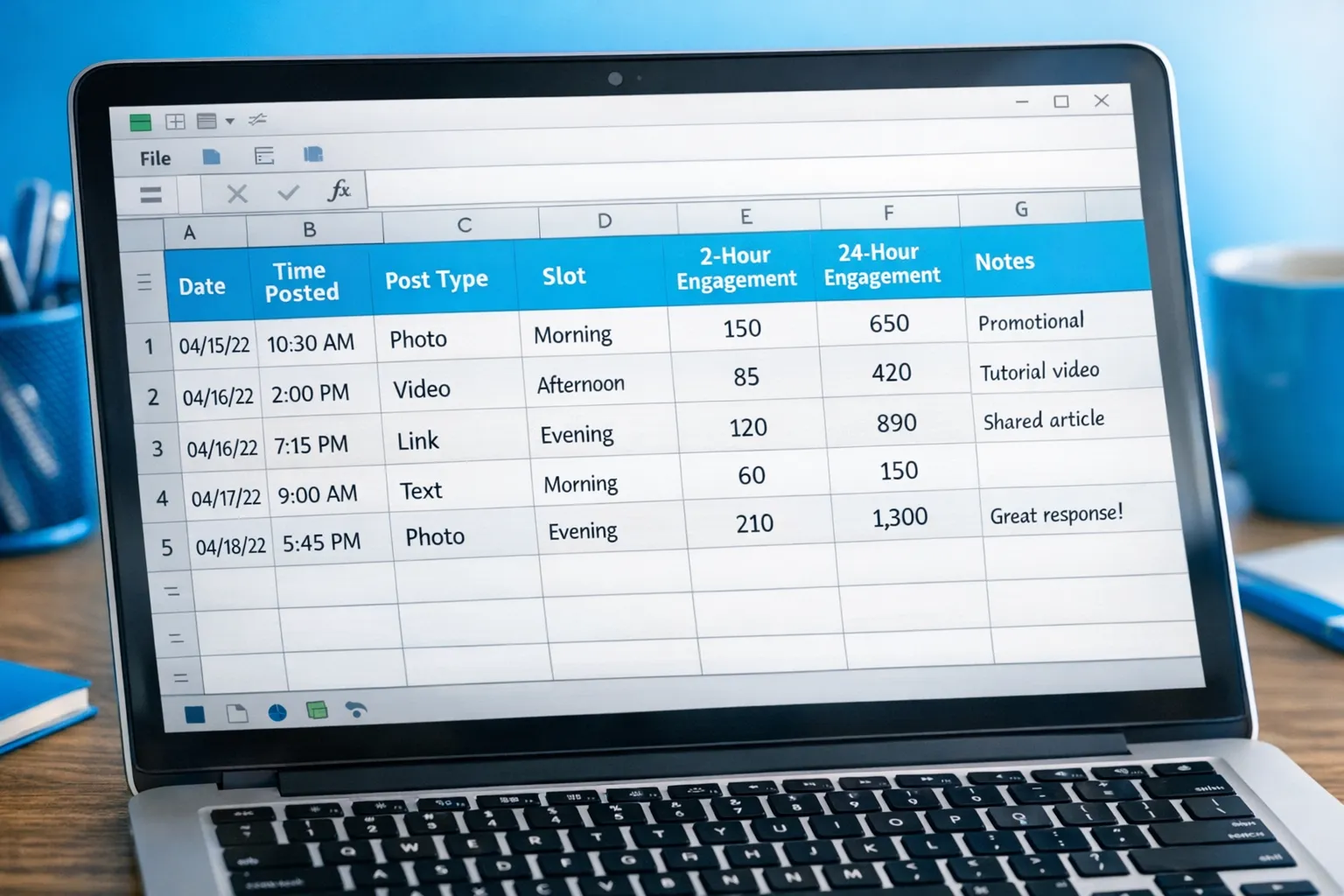
What to log after every post (your mini analytics sheet)
You don’t need advanced analytics, but you do need consistency.
Create a simple tracking note (Google Sheet, Notes app, whatever you’ll actually use).
Log these columns:
- Date
- Time posted
- Slot (1, 2, or 3)
- Post type (feed, Story, PPV message)
- Content theme (teaser, GFE, fetish, cosplay, etc.)
- Offer included? (yes/no)
- Key results after 2 hours
- Key results after 24 hours
The best “timing” metric for OnlyFans income
If you sell through DMs, your strongest signal is often:
- How many fans start conversations soon after you post
Because conversations create PPV opportunities.
This is also why creators who can’t answer messages quickly often struggle to capitalize on peak windows. If your DMs are a bottleneck, read What can an OnlyFans Manager really do for you in 2025? to understand what’s reasonable to outsource and what you should keep personal.
How to interpret your results (without overreacting)
Timing tests can feel emotional, especially when you’re putting yourself out there.
Use decision rules so you don’t spiral after one “bad” post.
Rule 1: Don’t crown a winner from one viral moment
One post can spike because:
- the caption hit
- a whale was online
- the content was simply stronger
You’re looking for a pattern across at least 4 posts per slot.
Rule 2: Choose a “default slot,” not a prison
Once you find your best slot, that becomes your default time for your most important posts.
But you can still:
- post Stories outside that time
- run occasional “off-time” posts to reach a different segment
Rule 3: Separate “engagement timing” from “spending timing”
It’s common to see this:
- Slot 2 gets more likes and comments
- Slot 3 gets fewer likes but more PPV revenue
In that case, Slot 3 might be your money slot, and Slot 2 might be your community slot.
That’s not a problem, it’s a strategy.
Testing posting times for promotion platforms (the OnlyFans growth multiplier)
OnlyFans doesn’t have the same internal discovery engine as some other platforms, so your promo timing often matters as much as your OnlyFans timing.
If you’re actively promoting on Reddit, Twitter/X, or TikTok/Instagram funnels, test times separately per platform.
A realistic approach:
- Pick one platform you can be consistent on for 14 days.
- Use tracking links for that platform.
- Test the same 3-slot rotation.
For a deeper growth roadmap, use How to Get More Paid & Free Subscribers on OnlyFans in 2025.
Common mistakes that ruin timing tests (and how to avoid them)
Mistake 1: Changing your price, bio, AND posting time at the same time
If you change three things at once, you won’t know what caused the results.
Keep your setup stable during your timing test.
Mistake 2: Testing during an abnormal week
If you’re sick, traveling, or in a weird emotional week, don’t force a “perfect” experiment.
Timing matters, but your energy matters too.
Mistake 3: Ignoring privacy needs when posting at “peak time”
Some creators avoid posting during local evenings because it overlaps with family or work schedules.
That’s valid.
You can still win by:
- batching content
- scheduling your promo posts
- using safer windows
- keeping your identity protected
If anonymity is part of your business plan, this guide can help: How to Secretly Promote Your OnlyFans (Without Friends or Family Finding Out).
Your “best posting times” starter template (copy this)
Use this as your default weekly rhythm once you’ve identified your strongest slot.
Feed posting rhythm
- 4 to 6 feed posts per week
- 70% relationship and retention content
- 30% high-intent sales content (teasers that lead to DMs/PPV)
PPV rhythm
- 2 to 3 PPV drops per week (keep it sustainable)
- One “anchor” drop at your best spending slot
Story rhythm
- Daily, light-touch
- Use Stories to cover off-hours and keep the account warm
If Live is part of your strategy, treat it like its own timing category and test separately. This guide covers setup and planning: How to Stream on OnlyFans Live Like a Pro.
When testing isn’t enough (and what to do instead)
Sometimes creators do everything right and still feel stuck. Timing is not magic if the rest of the funnel is leaking.
Here’s a quick decision framework:
If traffic is low
Your priority is promotion and conversion, not micro-optimizing times.
Focus on:
- consistent promo output
- tracking links
- a clean bio and pinned offer
If traffic is solid but subs are low
Your priority is profile conversion.
Look at:
- your subscription price and value framing
- your page preview
- your welcome message and first PPV offer
If subs are solid but income is low
Your priority is DM selling structure.
That usually means:
- stronger PPV positioning
- better chat timing and follow-ups
- faster response windows
If you’re at the stage where you have content and traction but you’re overwhelmed, an OnlyFans management agency can be worth considering. Just be selective and realistic. These two guides are designed to help you evaluate safely:
- When to Hire an OnlyFans Management Agency: 5 Brutal Truths Every Creator Needs to Hear
- Are OnlyFans Agencies Worth It? A Detailed Review
A calm reminder before you start
If you’ve been blaming yourself for “posting at the wrong time,” take a breath.
Most creators were never taught how to test, track, and iterate. Once you run a simple 14-day timing experiment, you’ll stop guessing and start building a system you can repeat.
And that’s the real difference between “working hard” and growing like a business.
If you want help building a full strategy around timing, content planning, promotion, DM selling, and privacy, you can learn more about Lookstars here: Lookstars OnlyFans Management Agency.



Ready to transform your career?
Join hundreds of creators already earning six figures with Lookstars Agency.
Share this article
Best OnlyFans Agency
Europe's Leading OnlyFans Management Agency.
100% Free Ebook
Get our guide and unlock the secrets to OnlyFans success.
100% Free Ebook
Get our guide and unlock the secrets to OnlyFans success.
Free Revenue Calculator & Profile Analyzer
Try them for freeContinue reading...

Am I Attractive Enough for an OnlyFans Agency? The Answer

Can You Ever Fully Delete Your OnlyFans Content? The Reality
